Checklists and Safety
Adding SWMS to a Job
Ensure the SWMS setting is enabled. Then navigate to the SWMS tab.
Step-by-step instructions
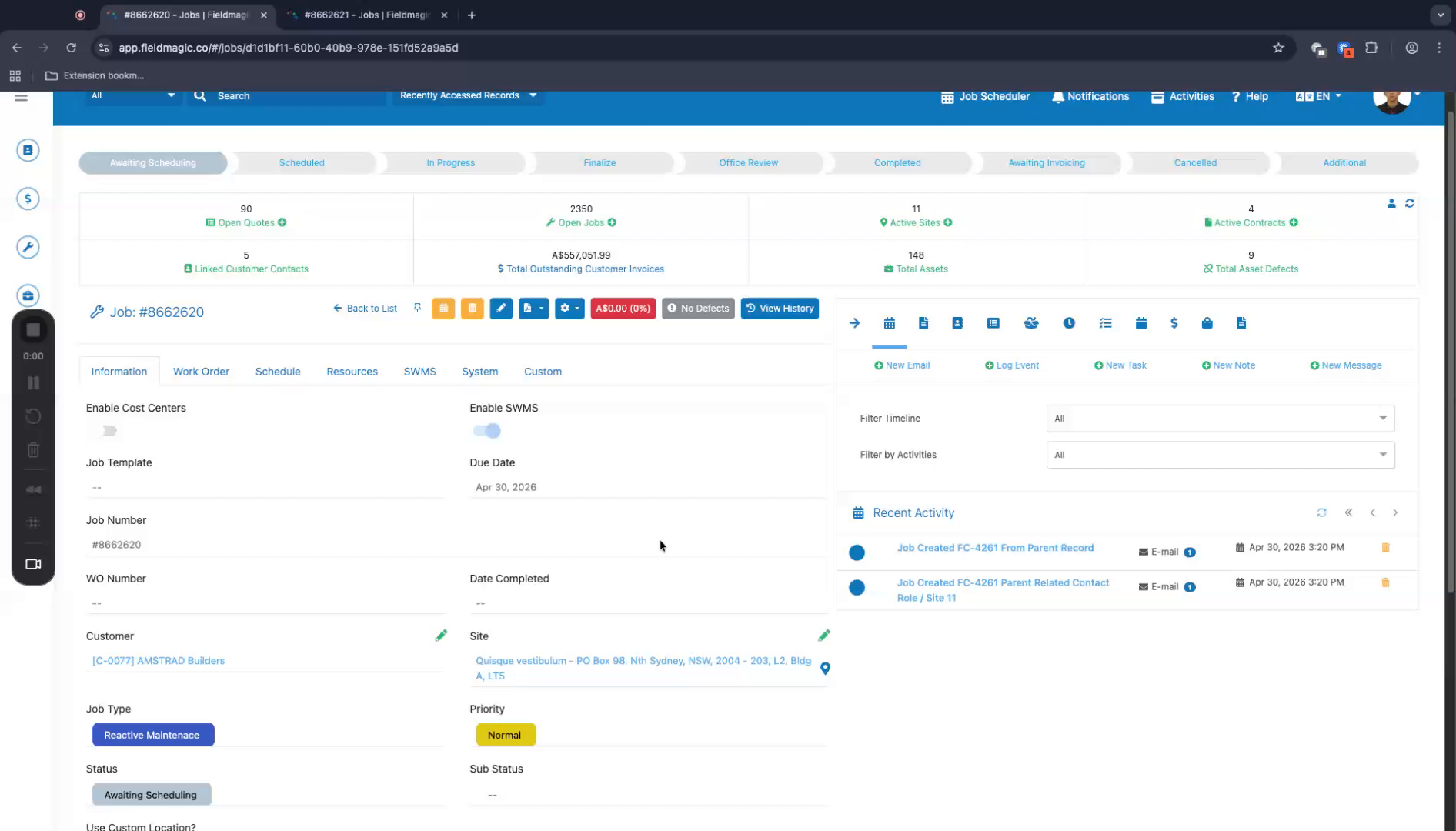 Step 1
Ensure the SWMS setting is enabled. Then navigate to the SWMS tab.
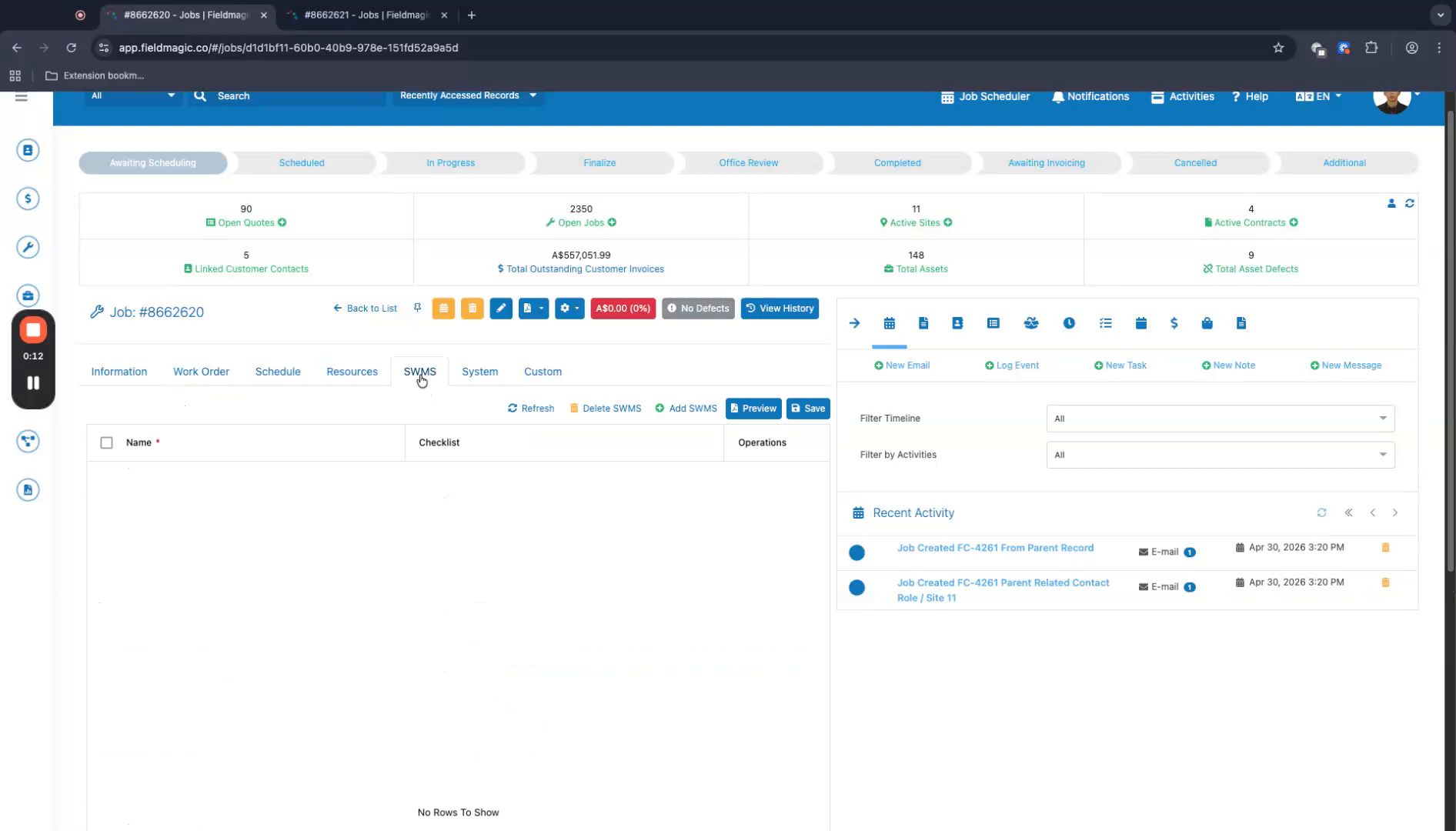 Step 2
Add one or more SWMS entries. Save your changes.
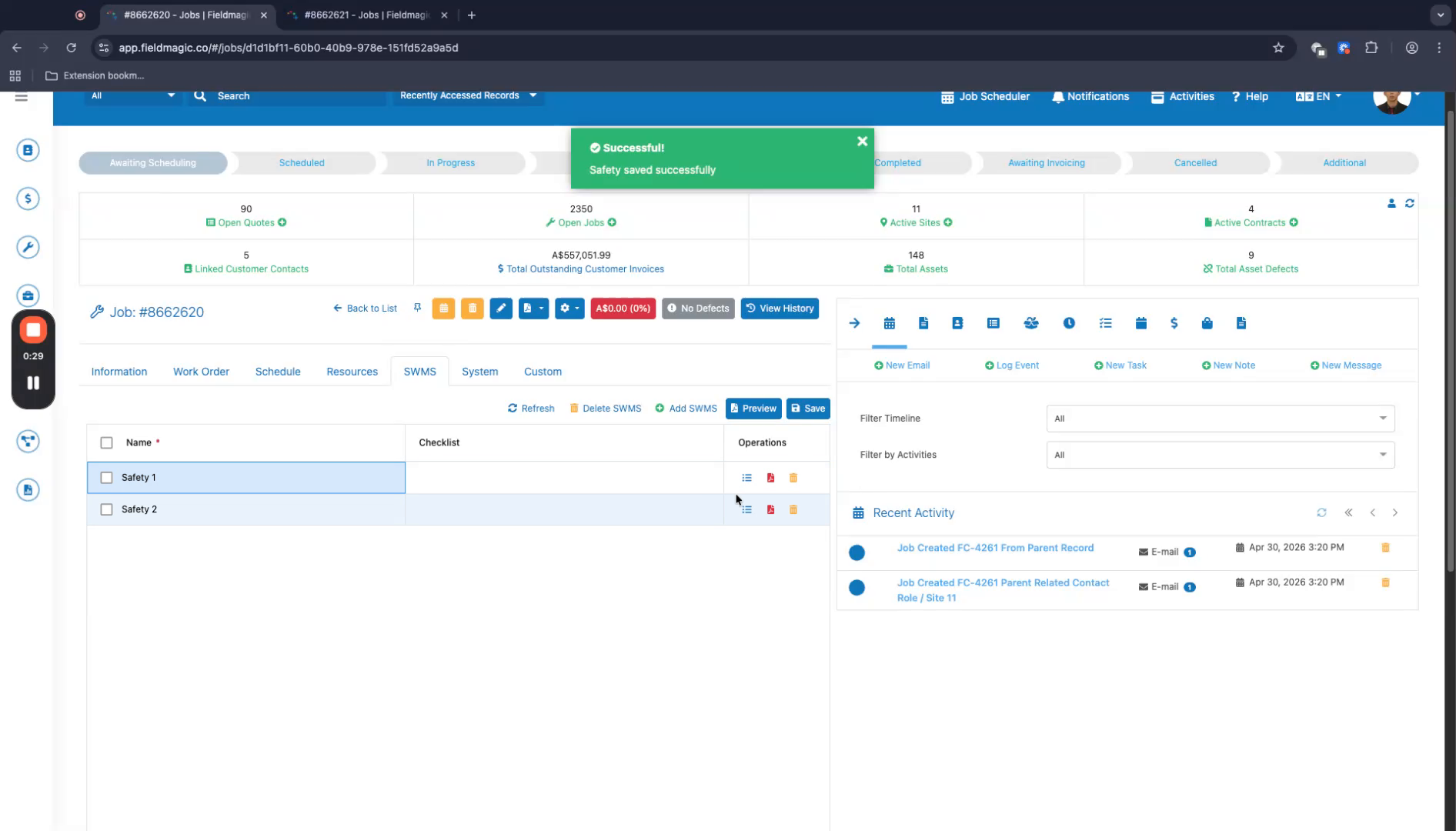 Step 3
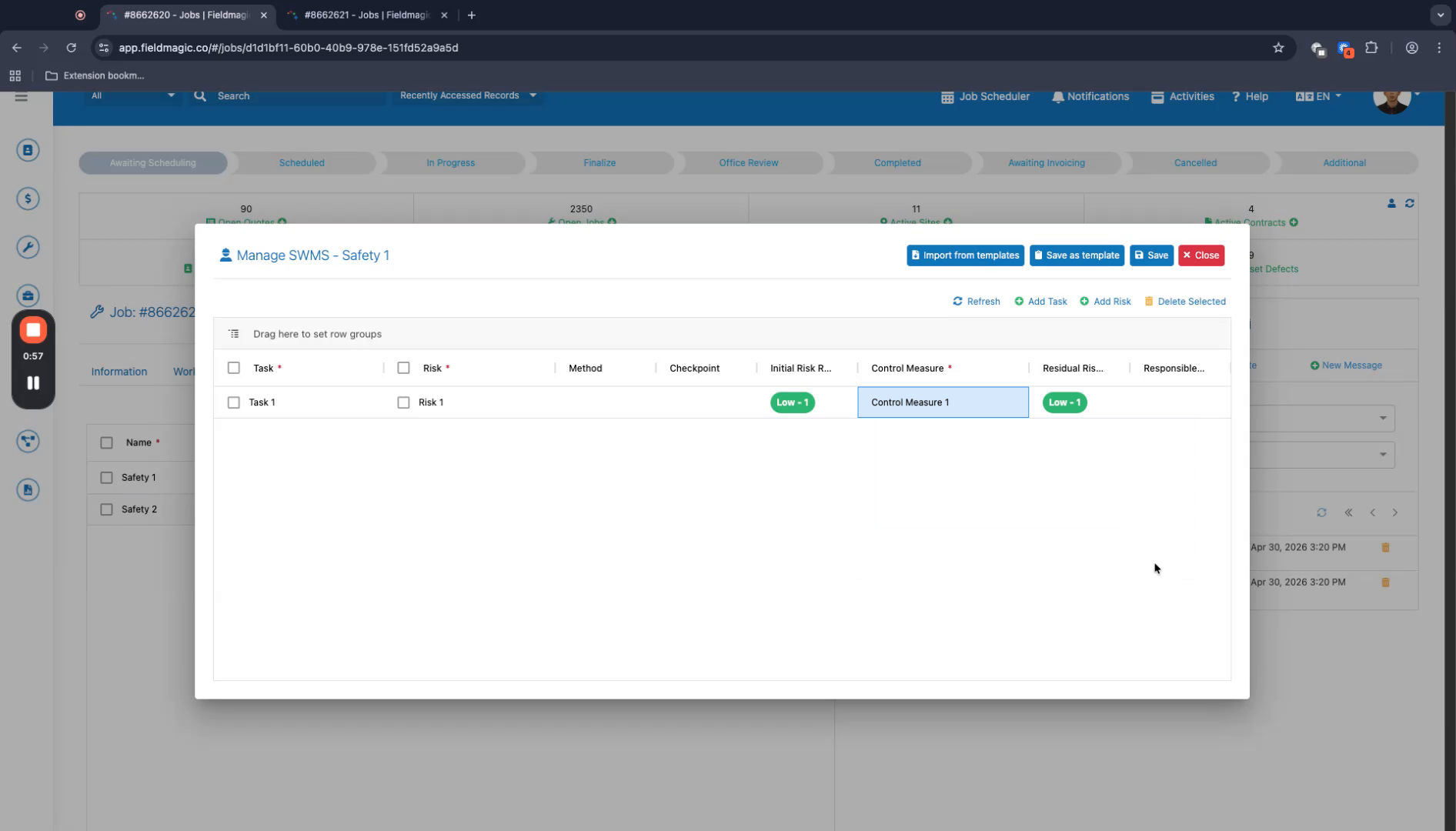
Manage tasks and risks by adding a task and editing the relevant fields.
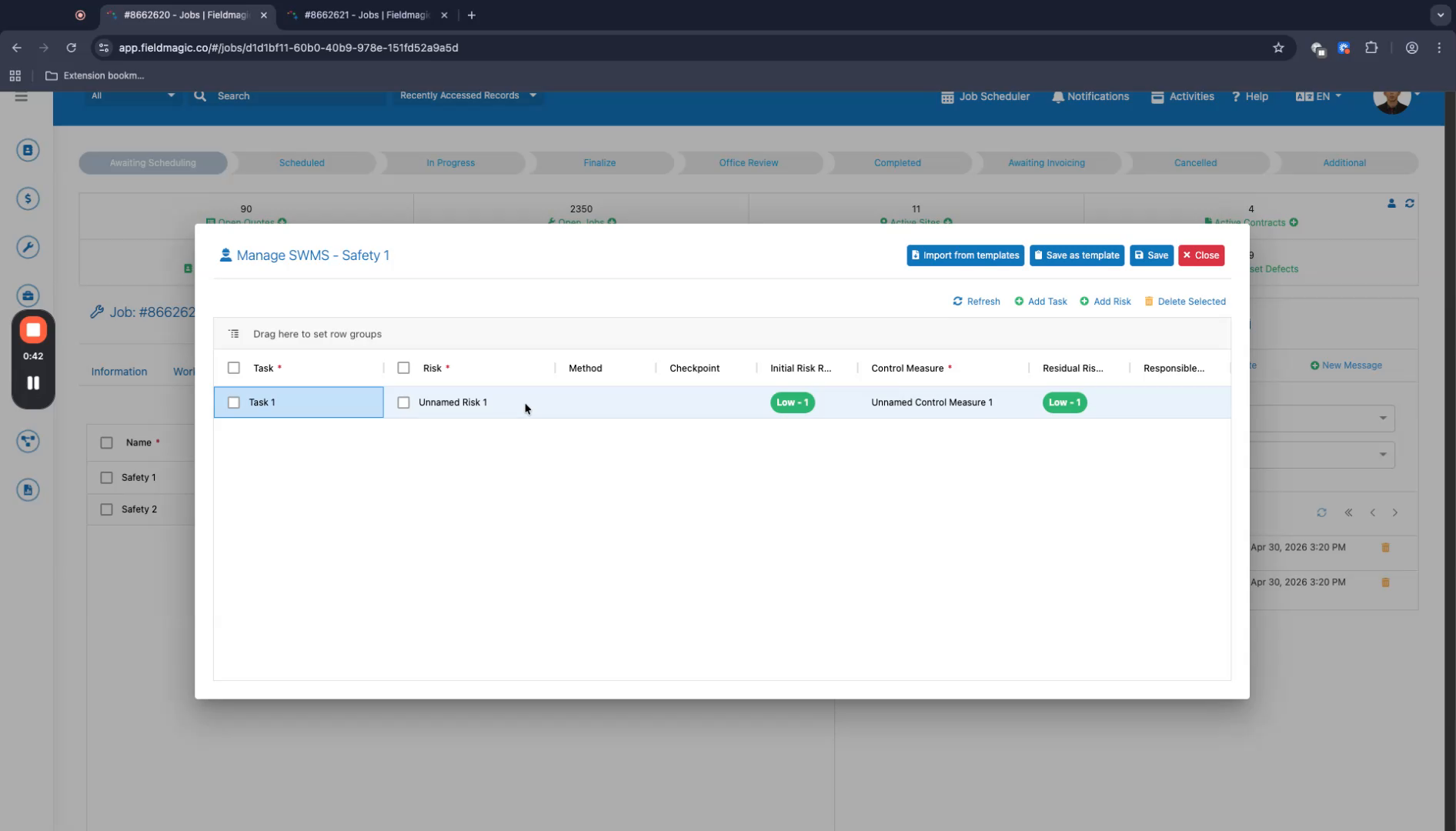 Step 4
Enter the desired data. Note that some fields are optional.
 Step 5
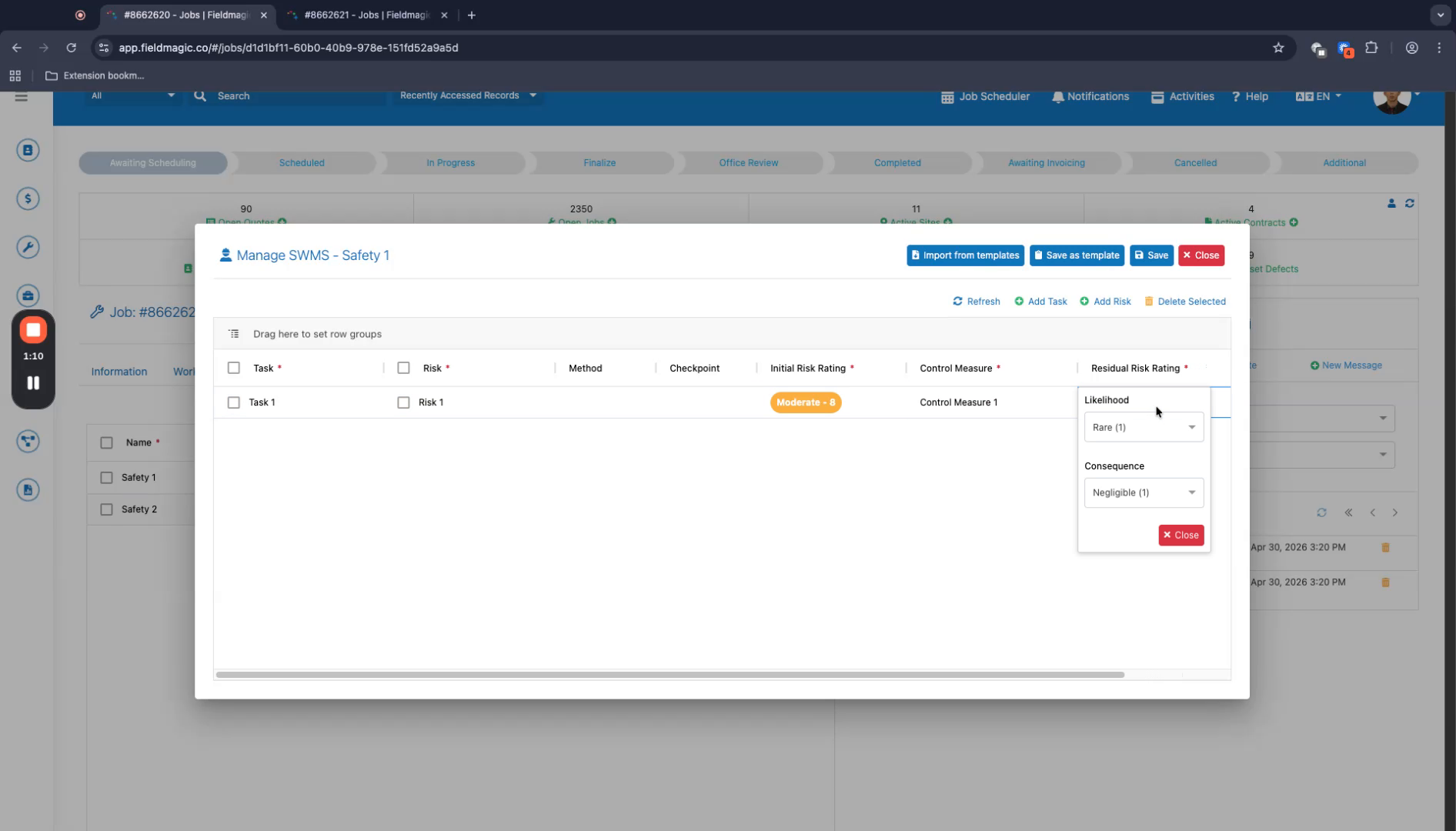
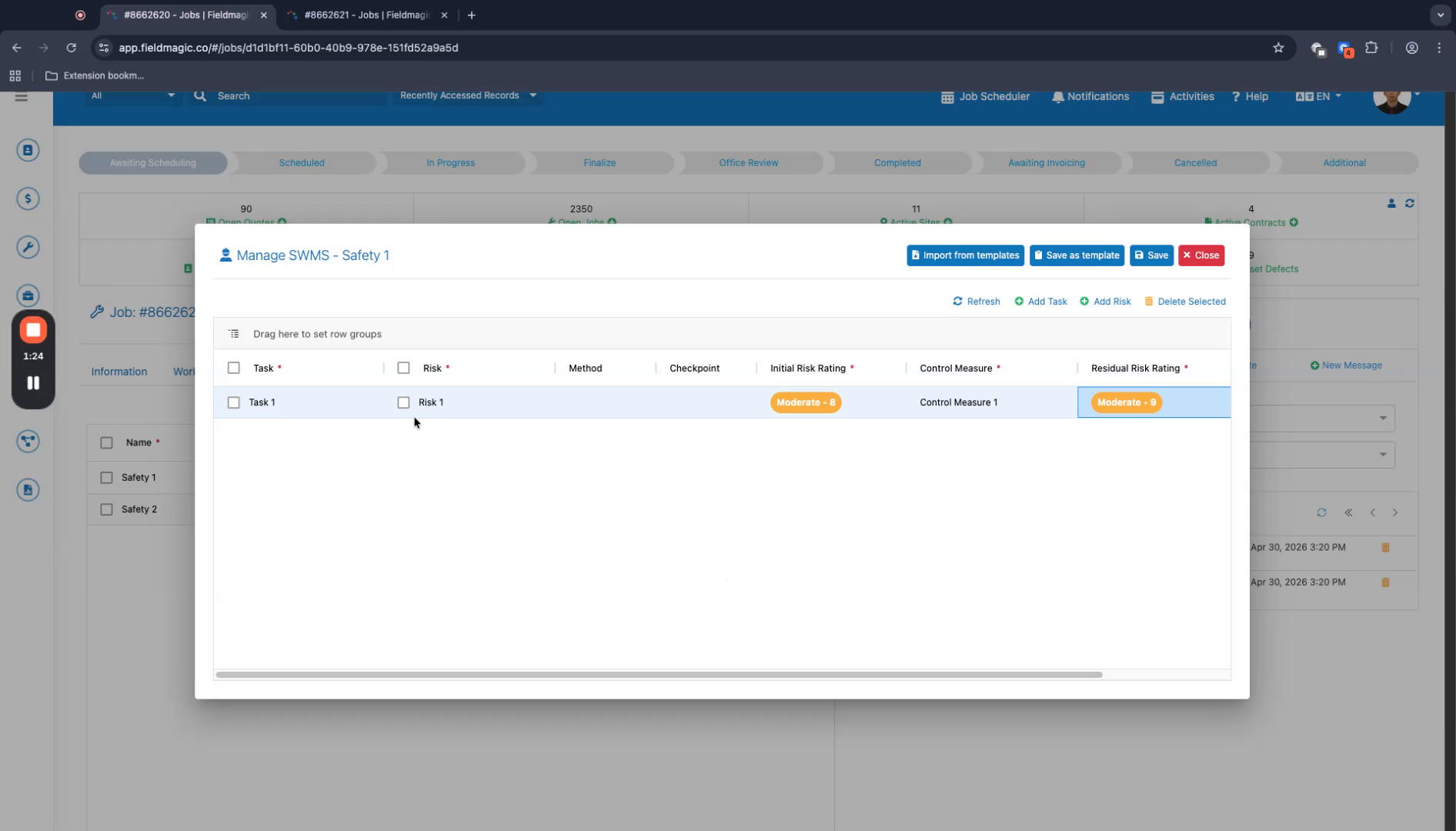
Set the initial risk rating. Then configure the residual risk rating.
 Step 6
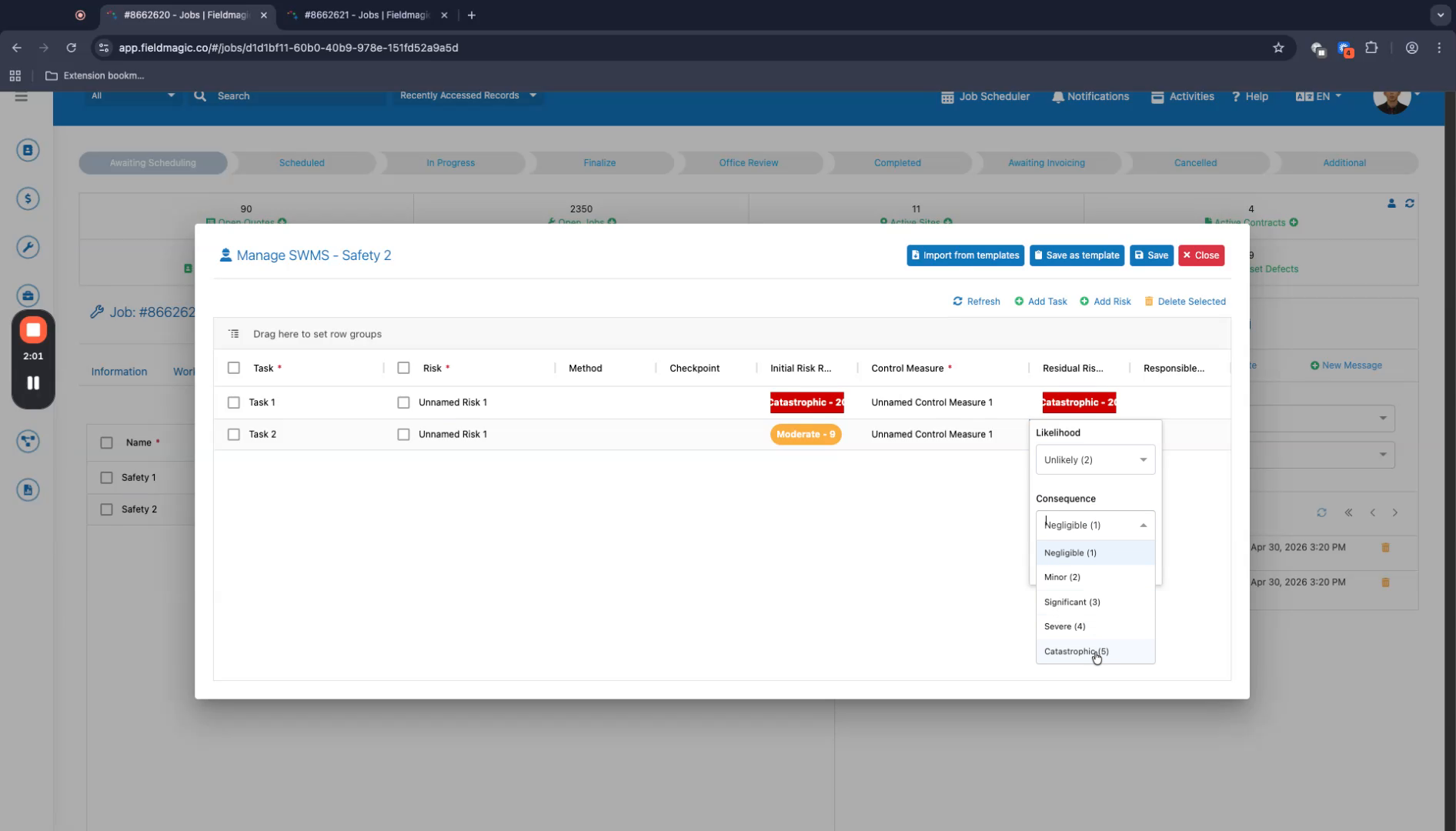
Add one or more additional tasks and risks as needed.
 Step 7
Save and close the entry. For additional entries, add the required tasks.
 Step 8
Save and close the entry. This completes the SWMS addition process.