Administration
Build and Customize a Document Template
Learn how to build and customize a document template using the Document Template Builder in FieldMagic.
Step-by-step instructions
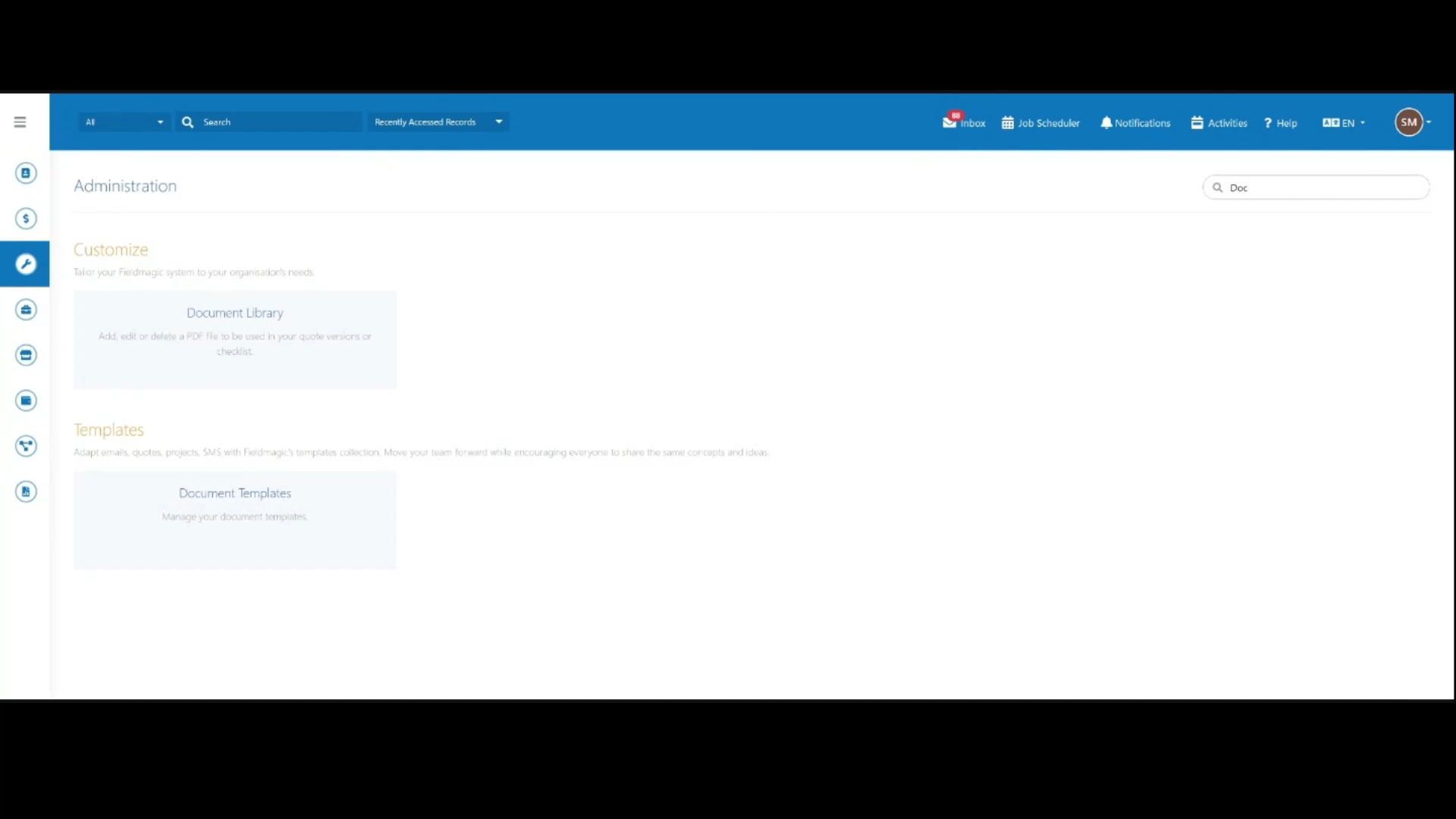 Step 1
From Settings, search for and open Document Templates.
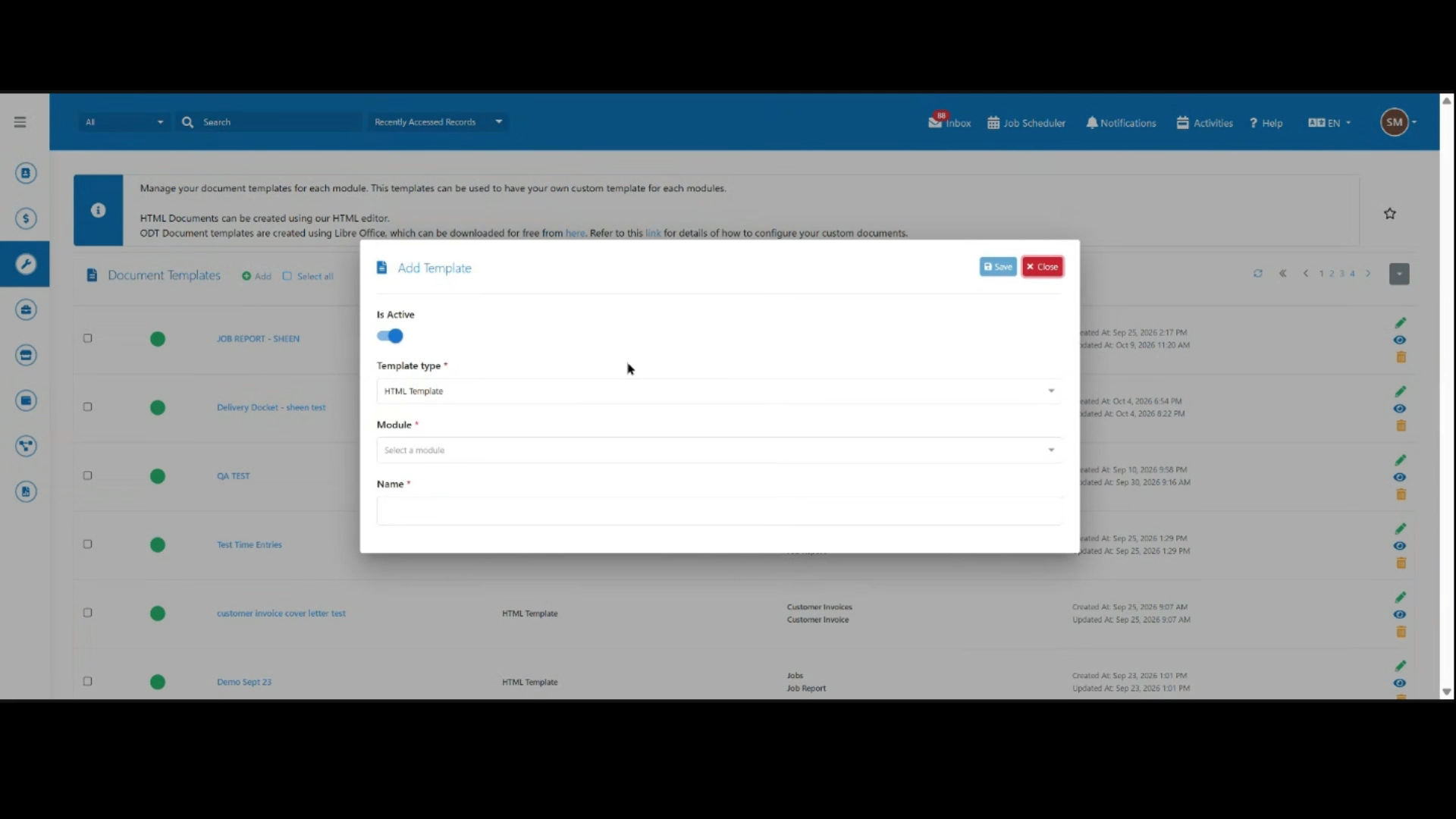 Step 2
Click Add to open the template creation form. In this example, we'll create a template for job reports.
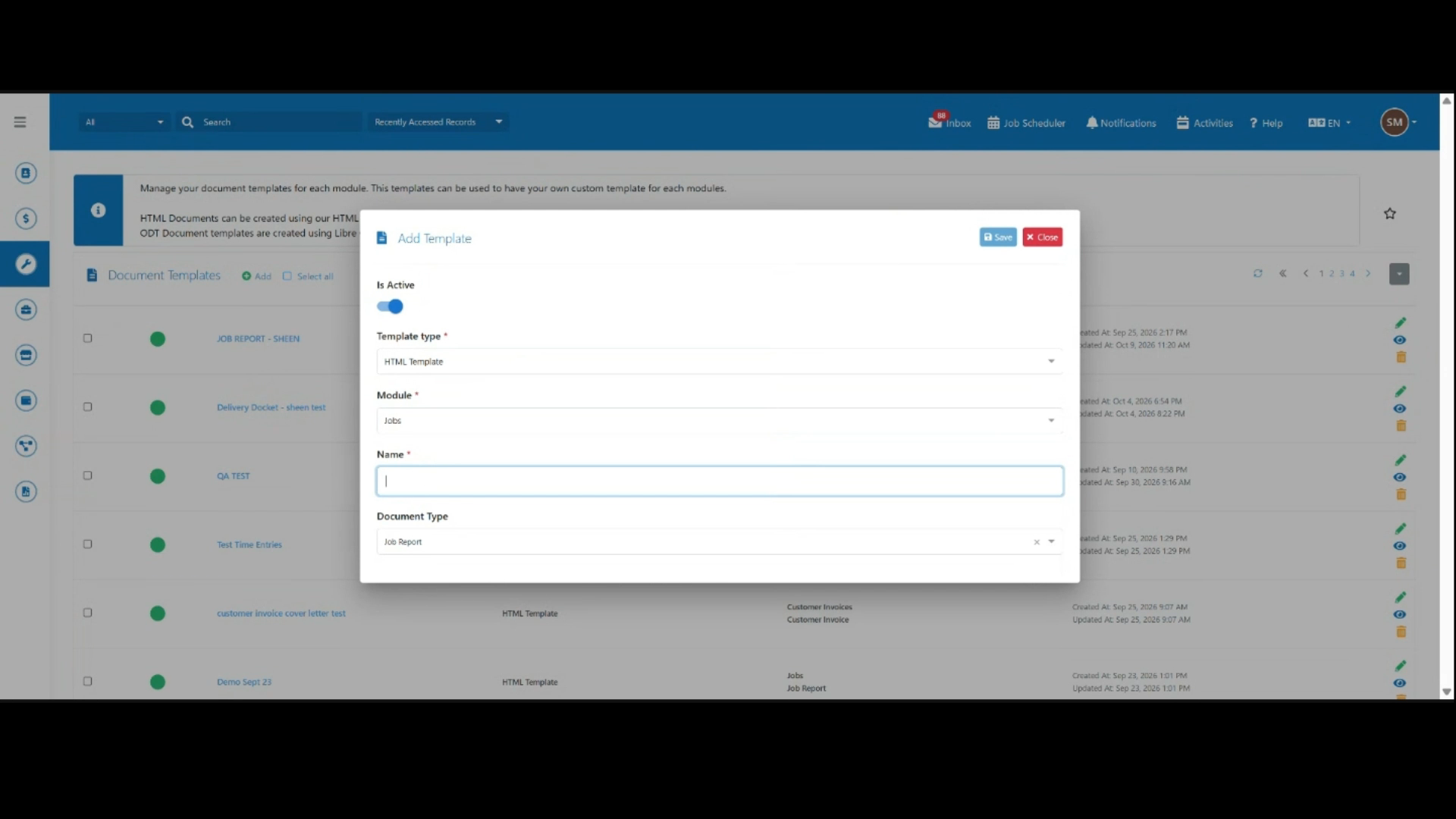 Step 3
Set the Template Type to HTML Template, then choose Jobs as the Module.
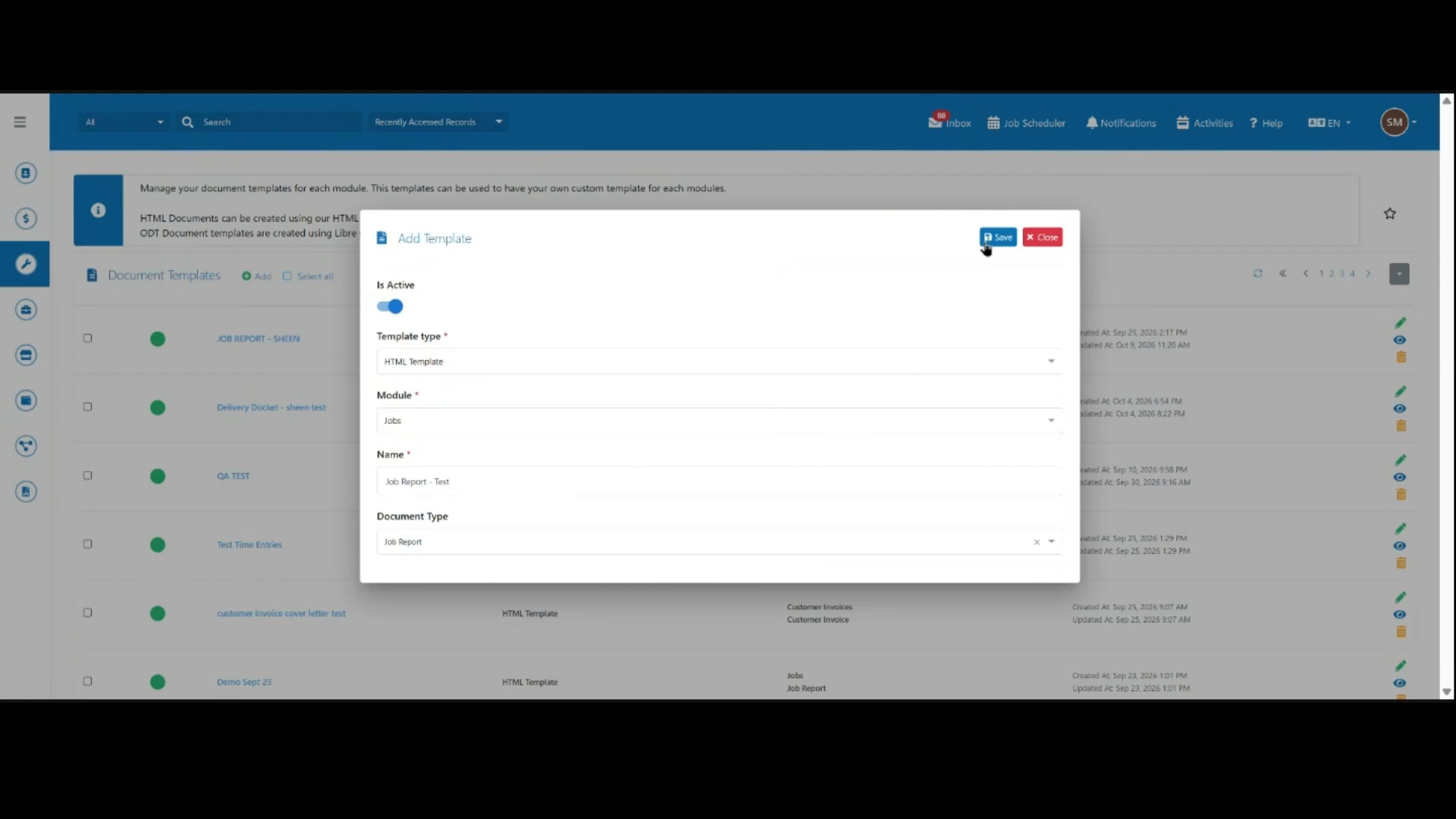 Step 4
Enter a name for the template, select Job Report as the Document Type, then click Save to create it.
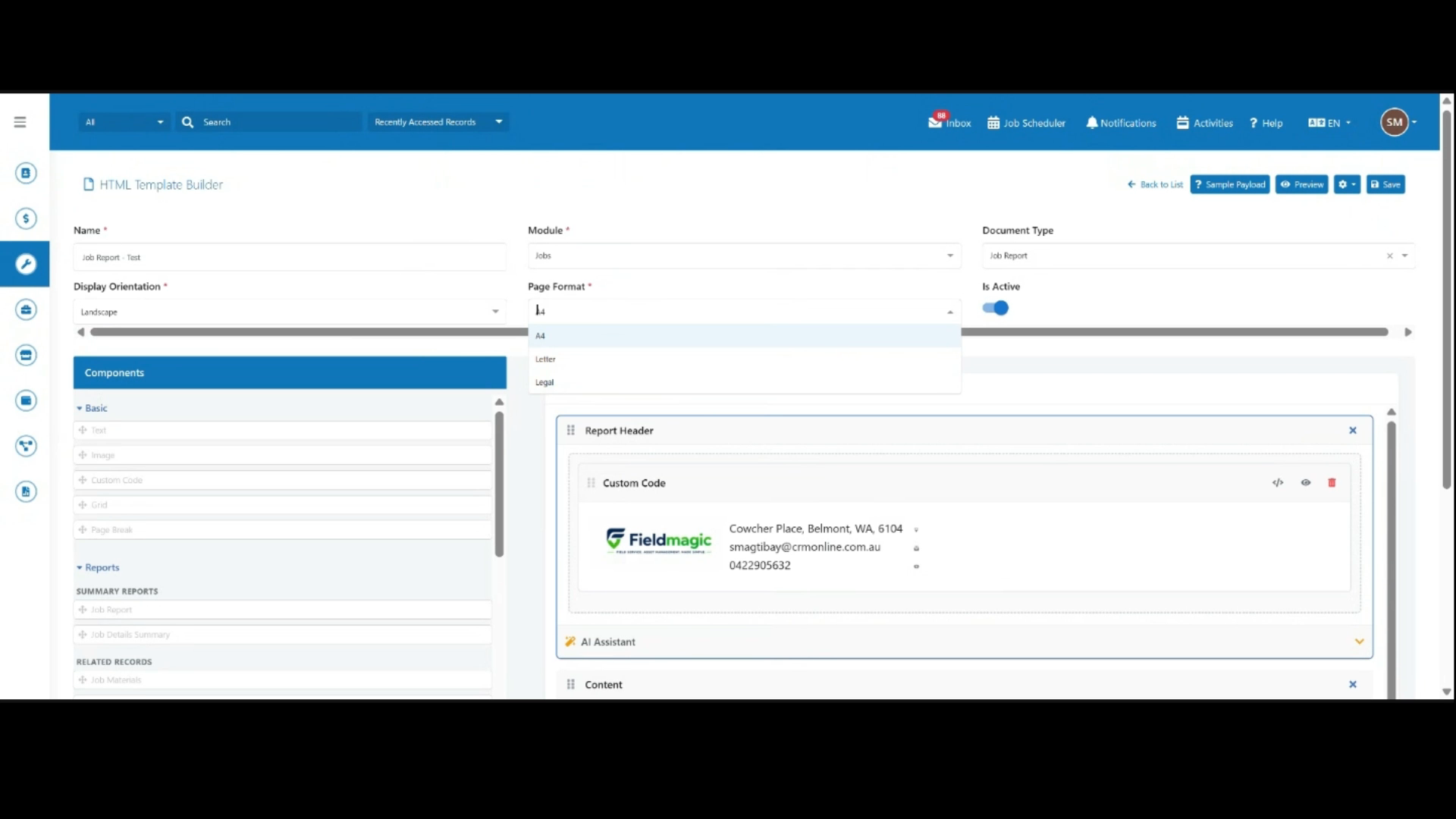 Step 5
Choose a page orientation, then select from the available page formats to suit your requirements.
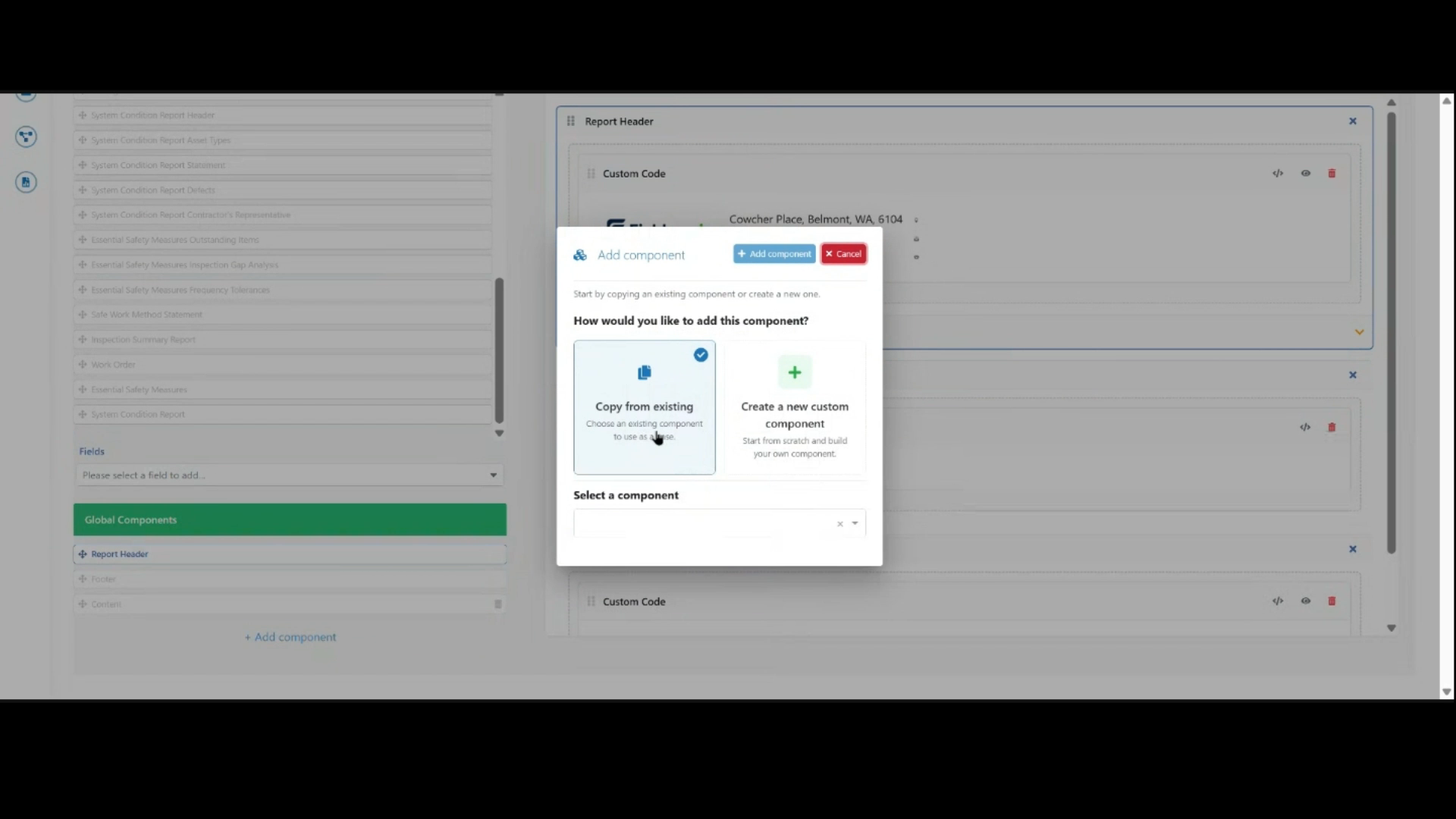 Step 6
Click Add Component to add a new section, then choose to copy an existing component or create a custom one.
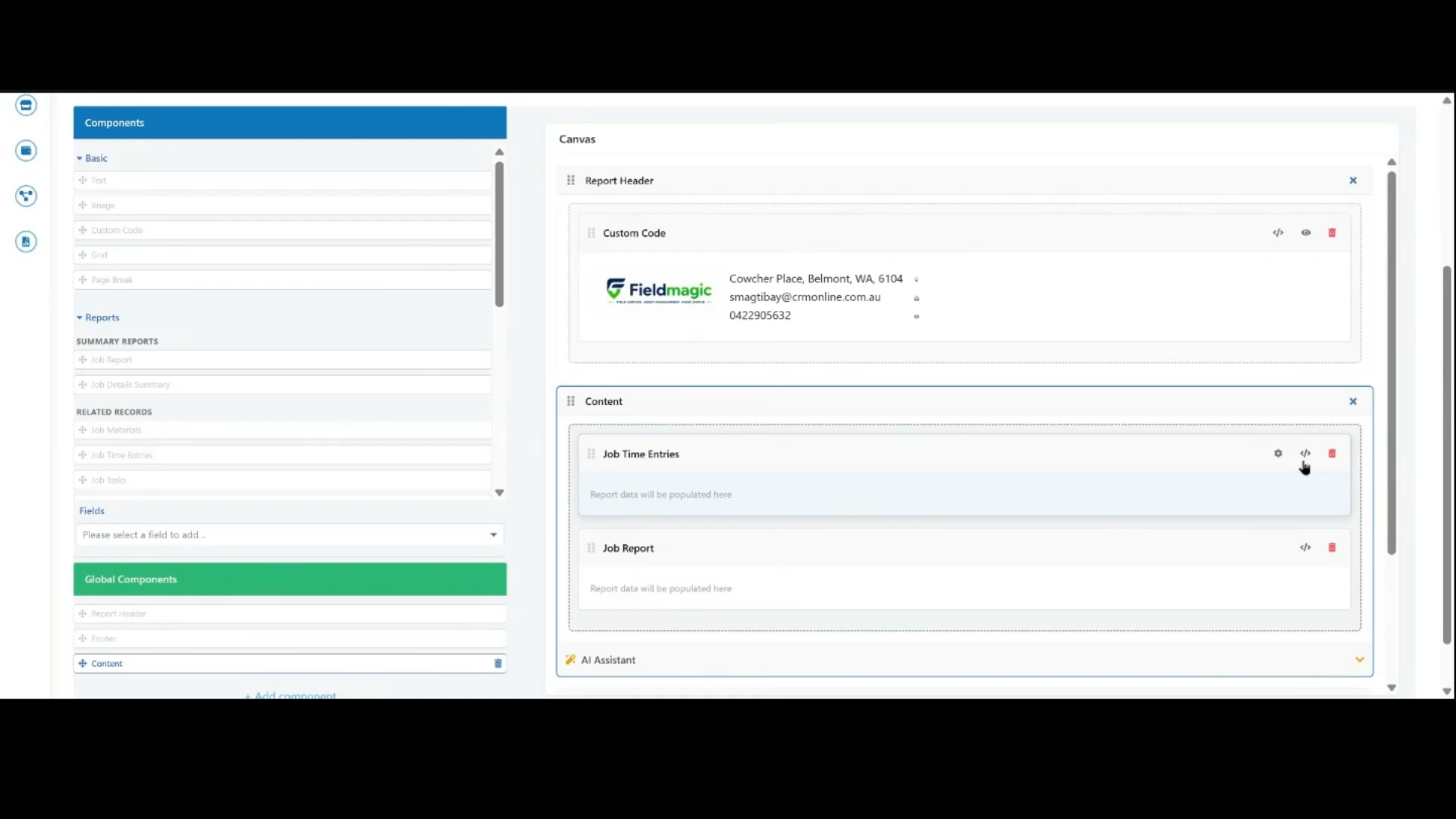 Step 7
Browse or search the available fields on the left, then drag the ones you need, such as Job Time Entries, into the canvas.
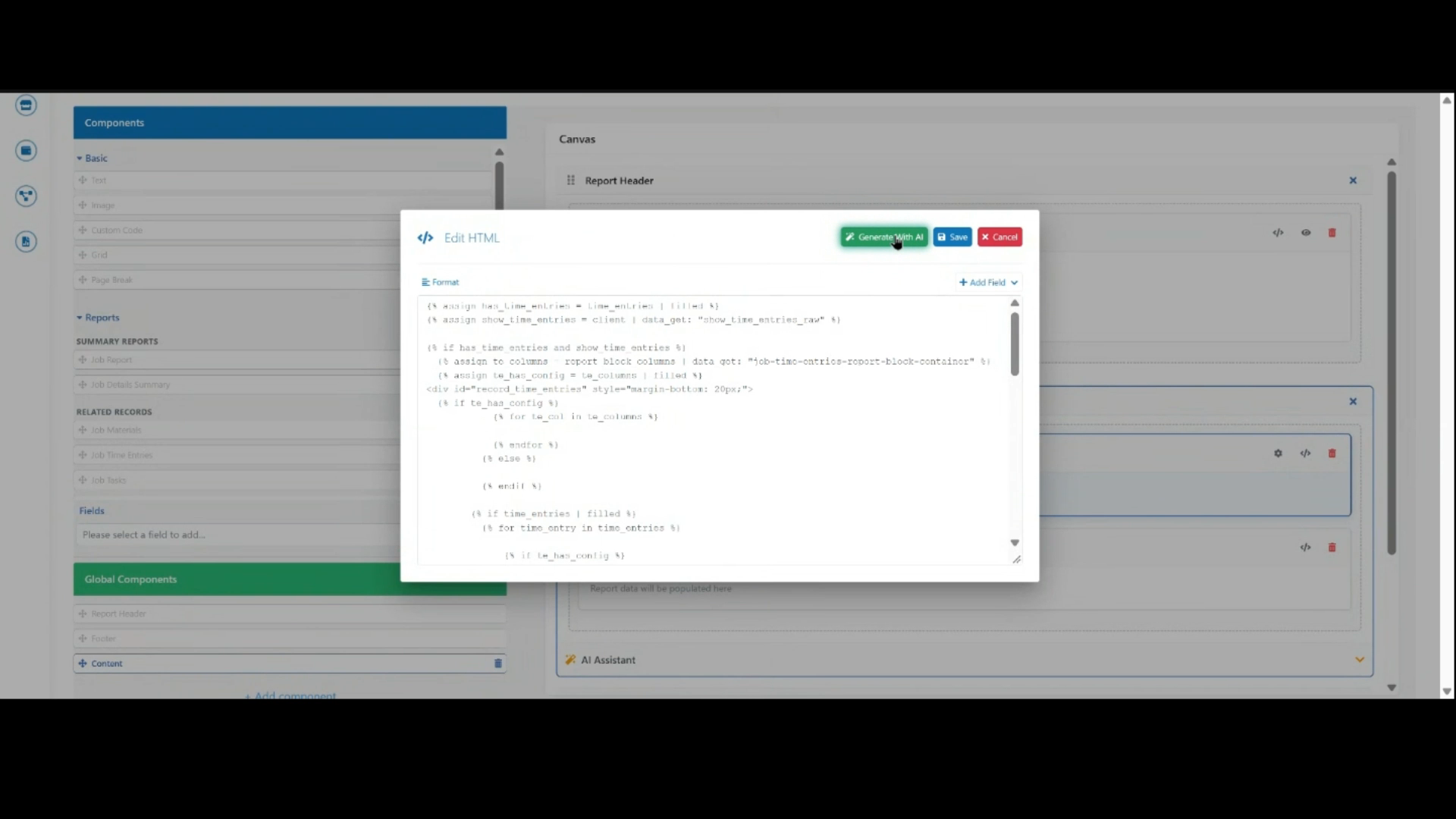 Step 8
Click the edit icon on a field to open the HTML editor, where you can adjust the code or use Generate with AI for assistance.
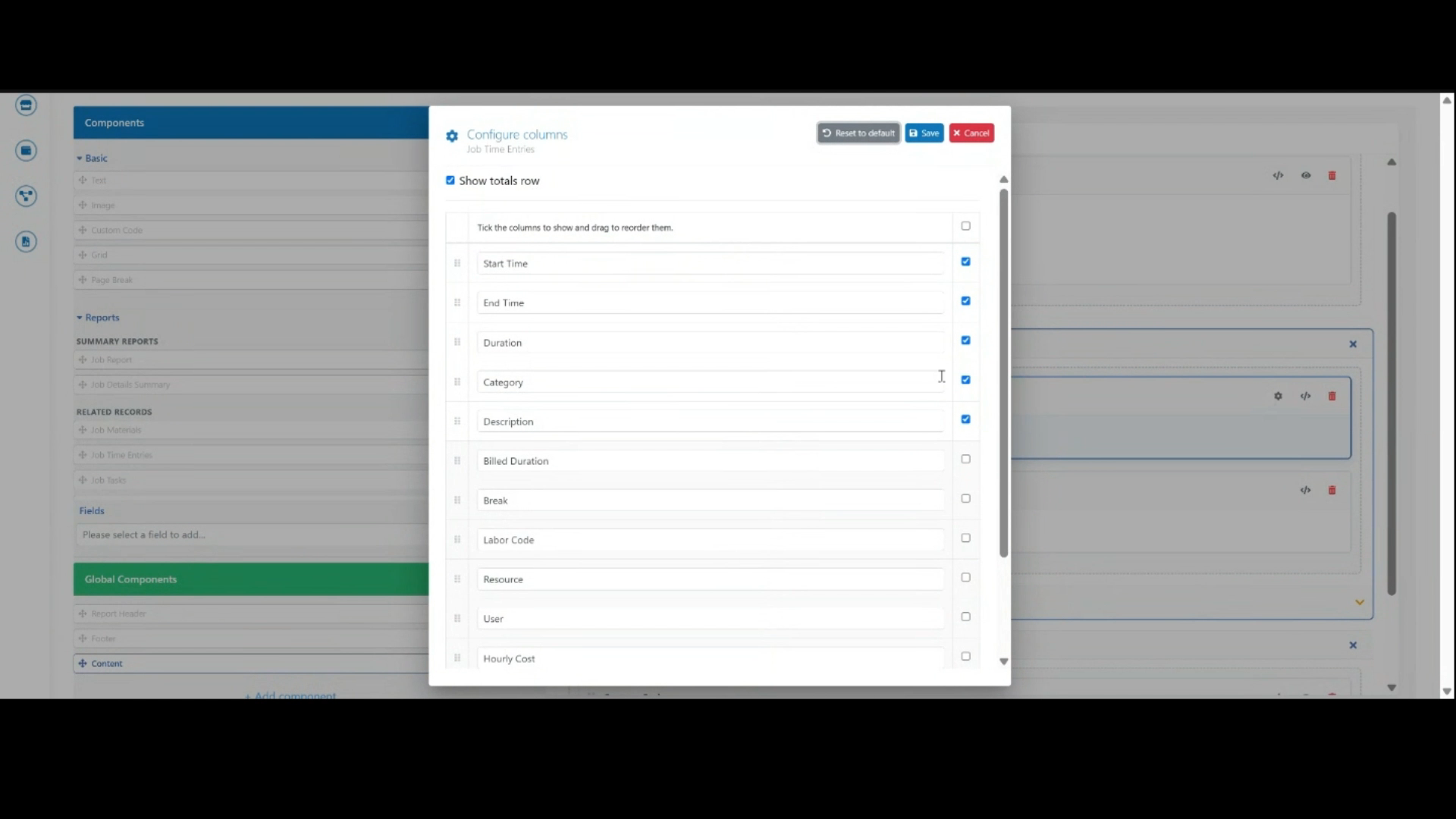 Step 9
Tick the columns you want to display, then click Save to apply your selection.
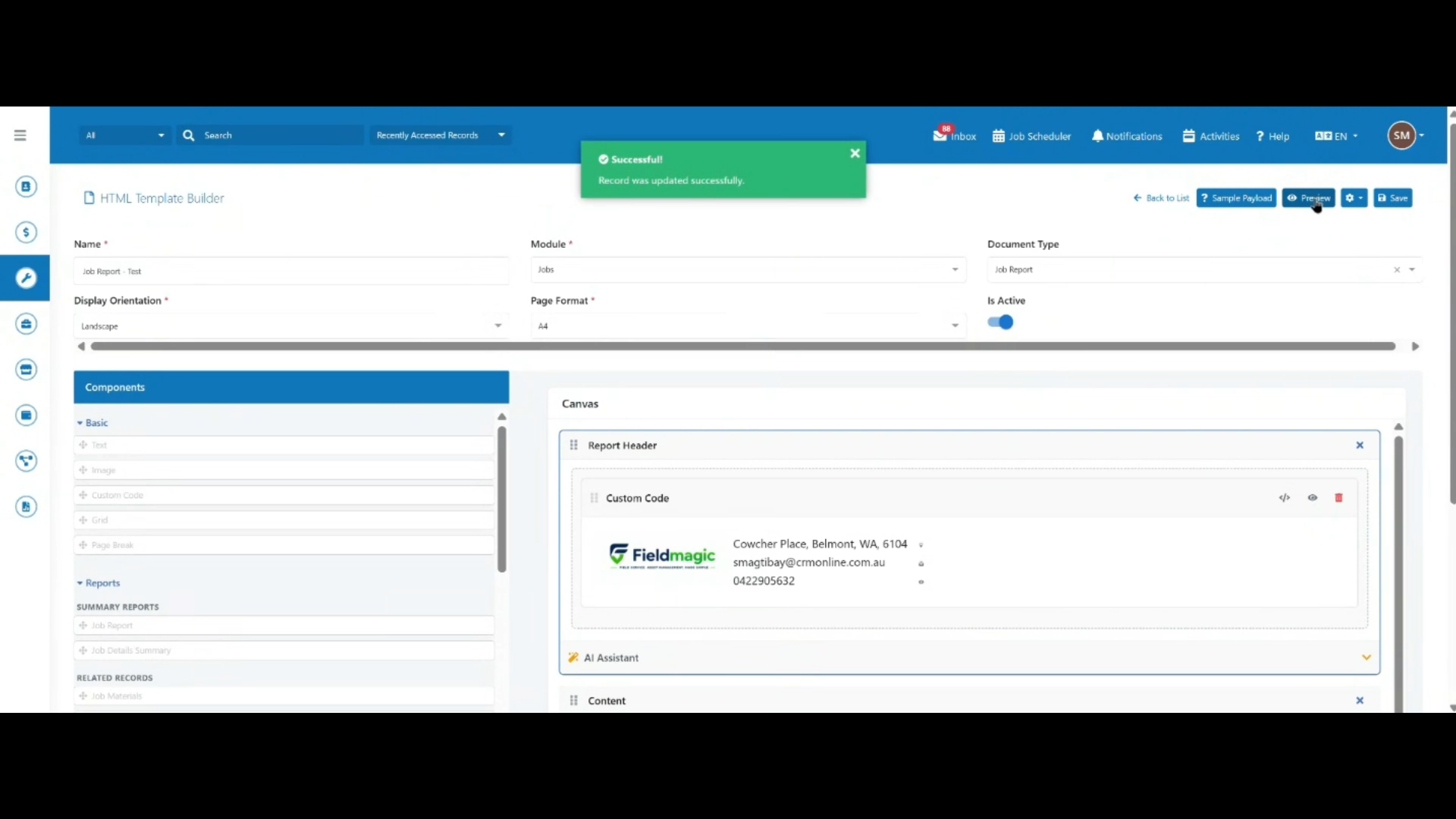 Step 10
Once your template is configured, click Save to save your changes.
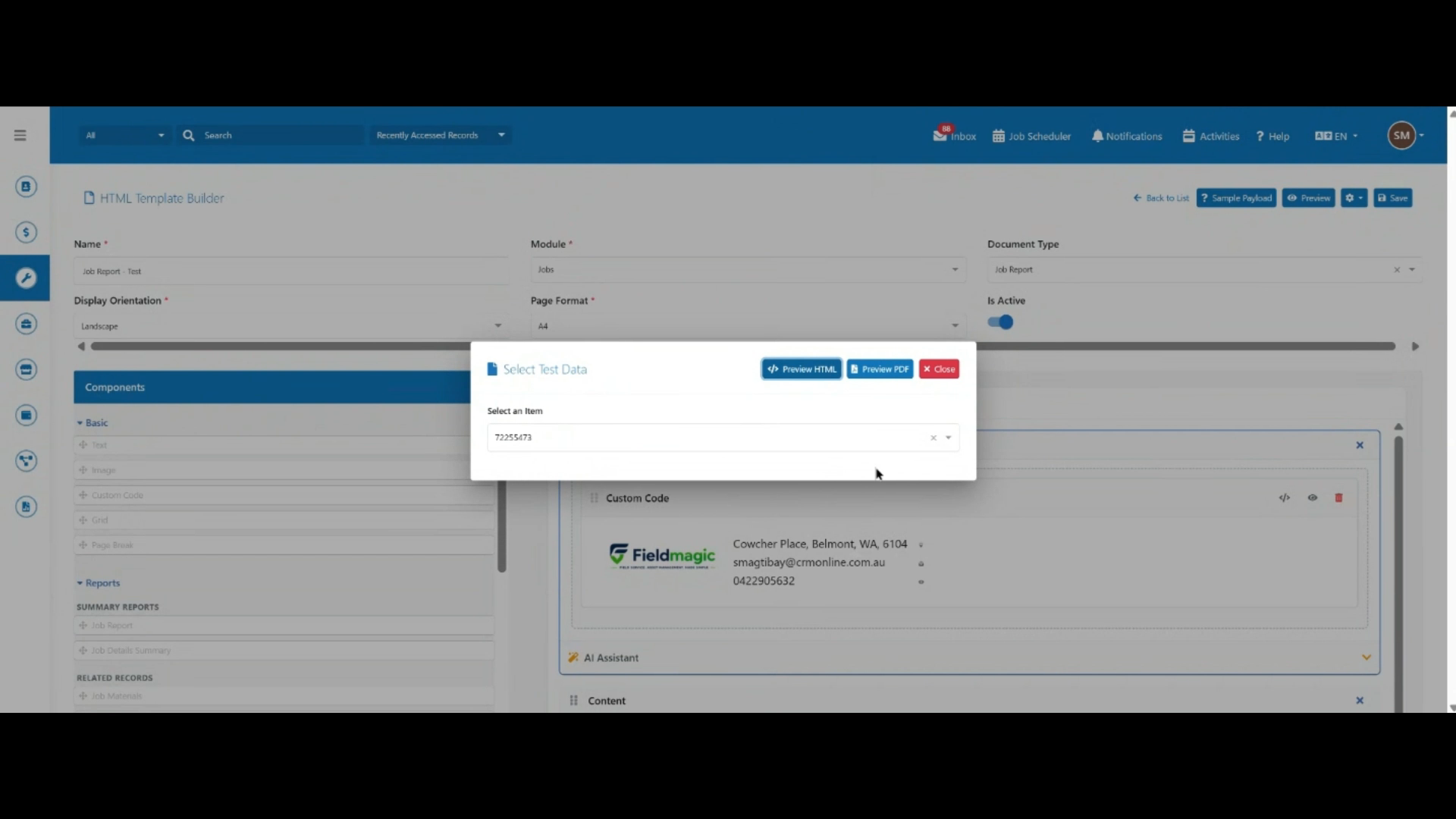 Step 11
Click Preview, select a sample job with time entries, then generate a PDF preview to check the final layout.