Contract Pricing
Contracts | creating Customer Invoice using the Contract Pricing
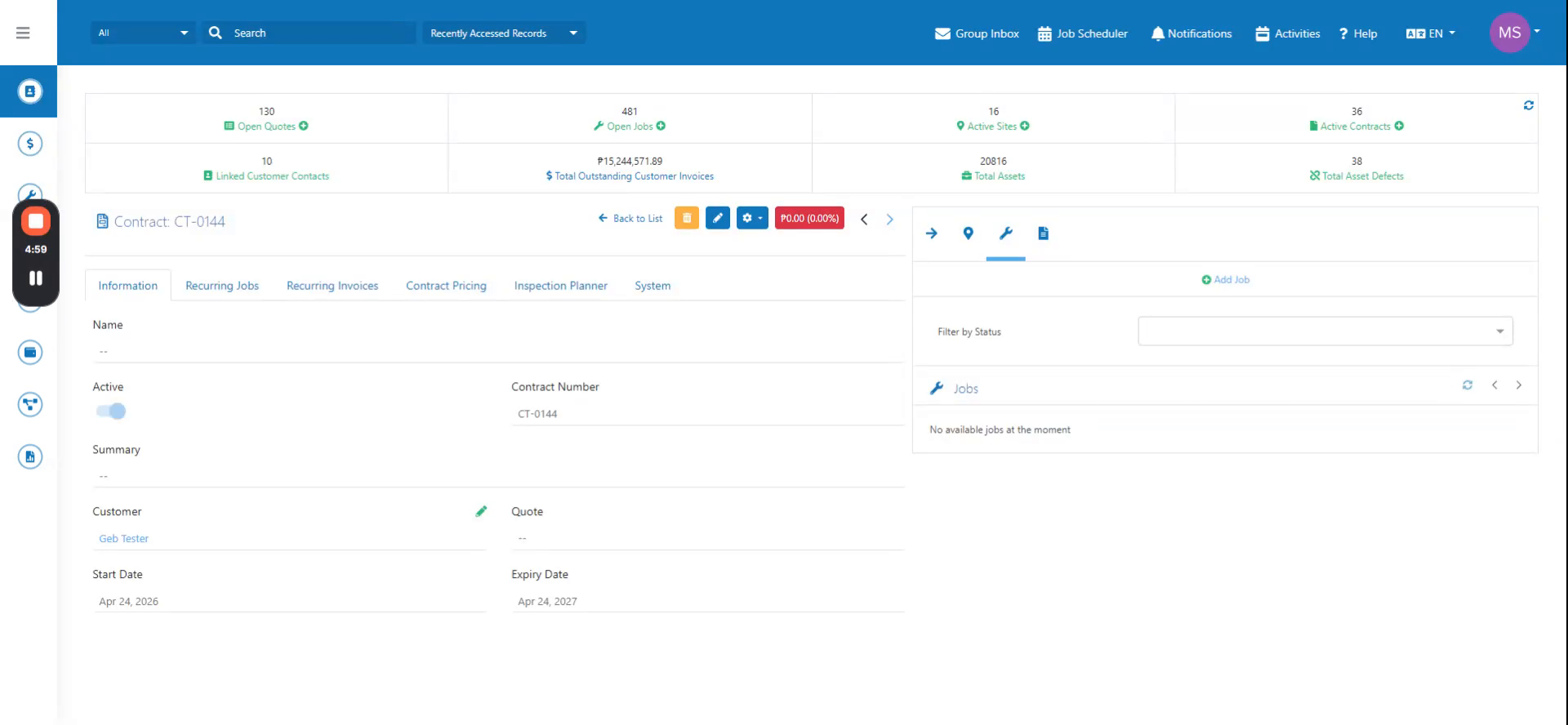
Create a customer invoice via job using contract CD0144.
Step-by-step instructions
 Step 1
Create a customer invoice via job using contract CD0144.
 Step 2
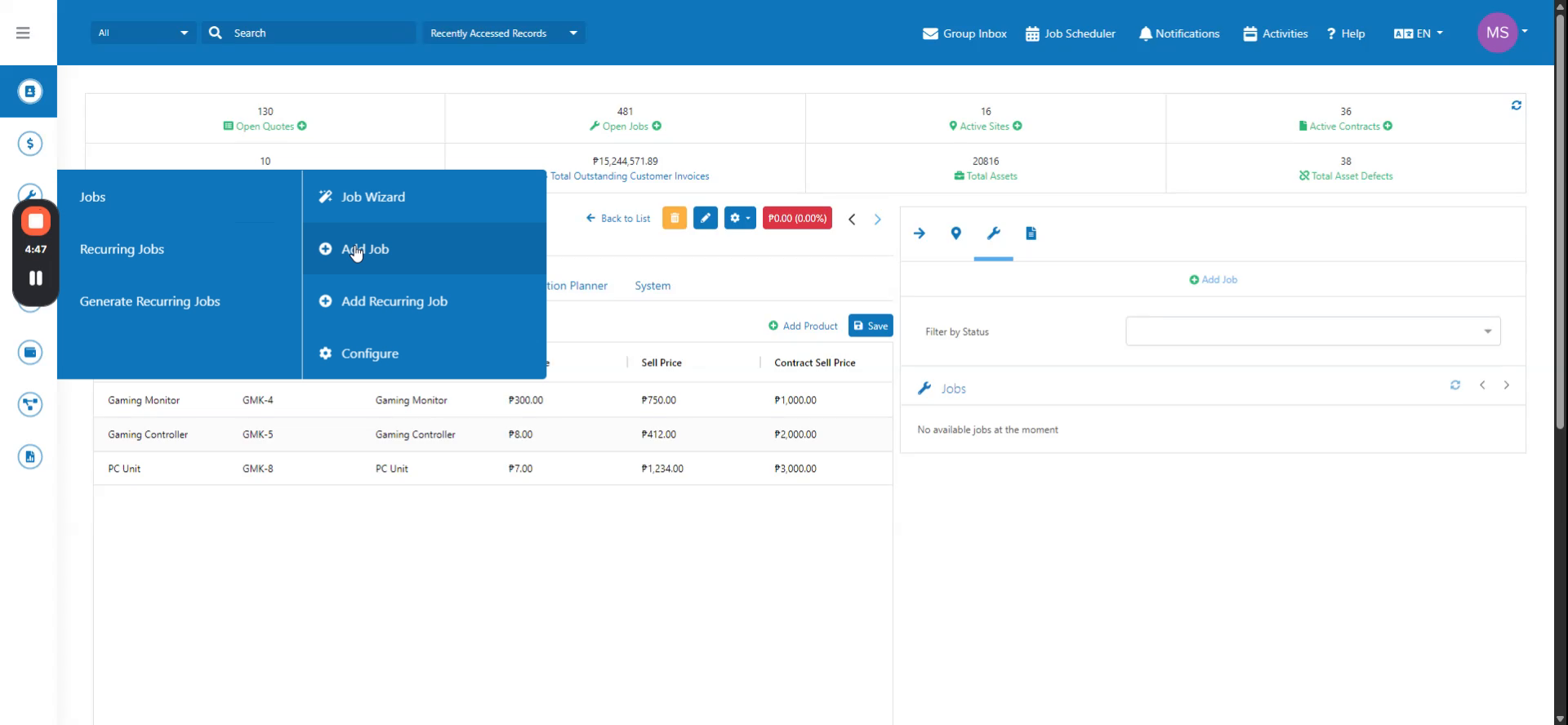
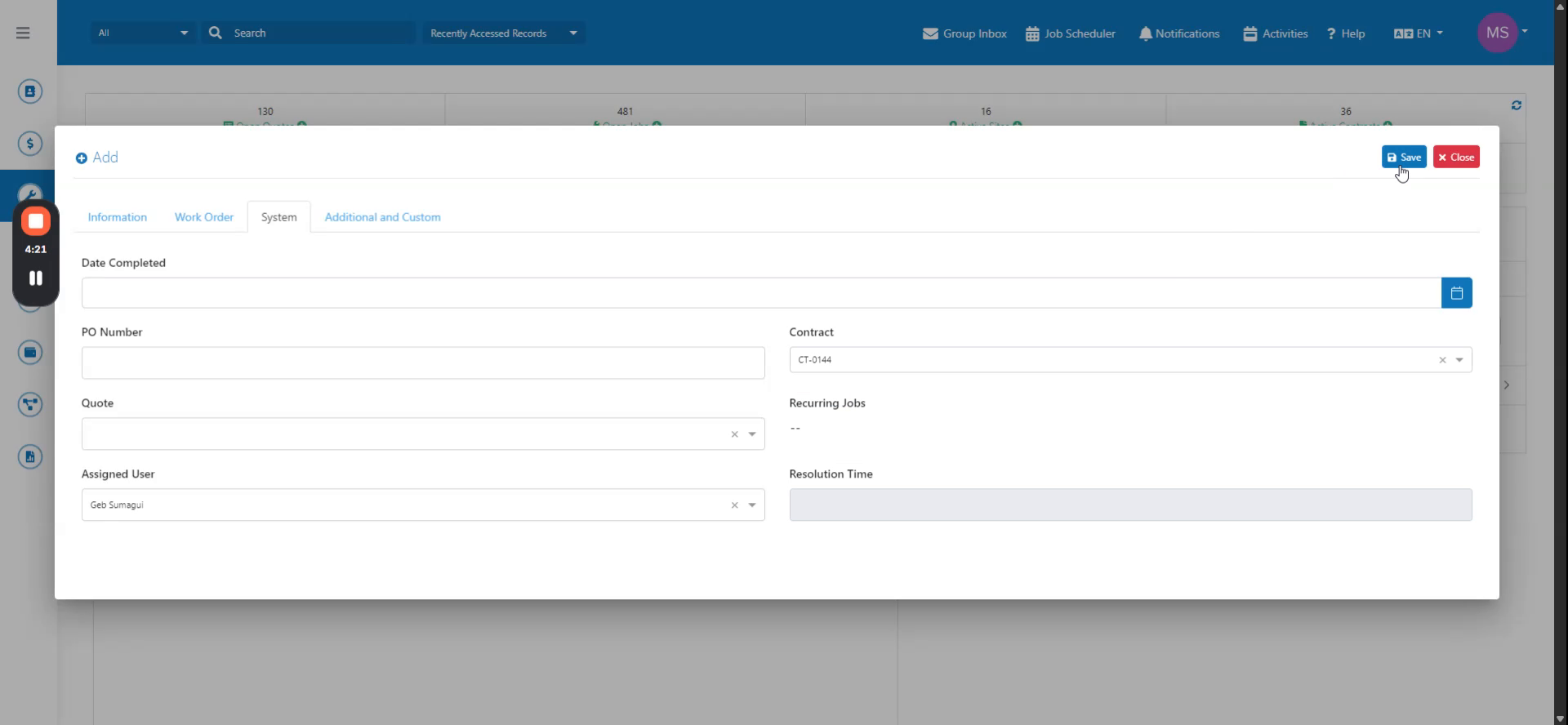
Create a new job and select contract CD0144.
 Step 3
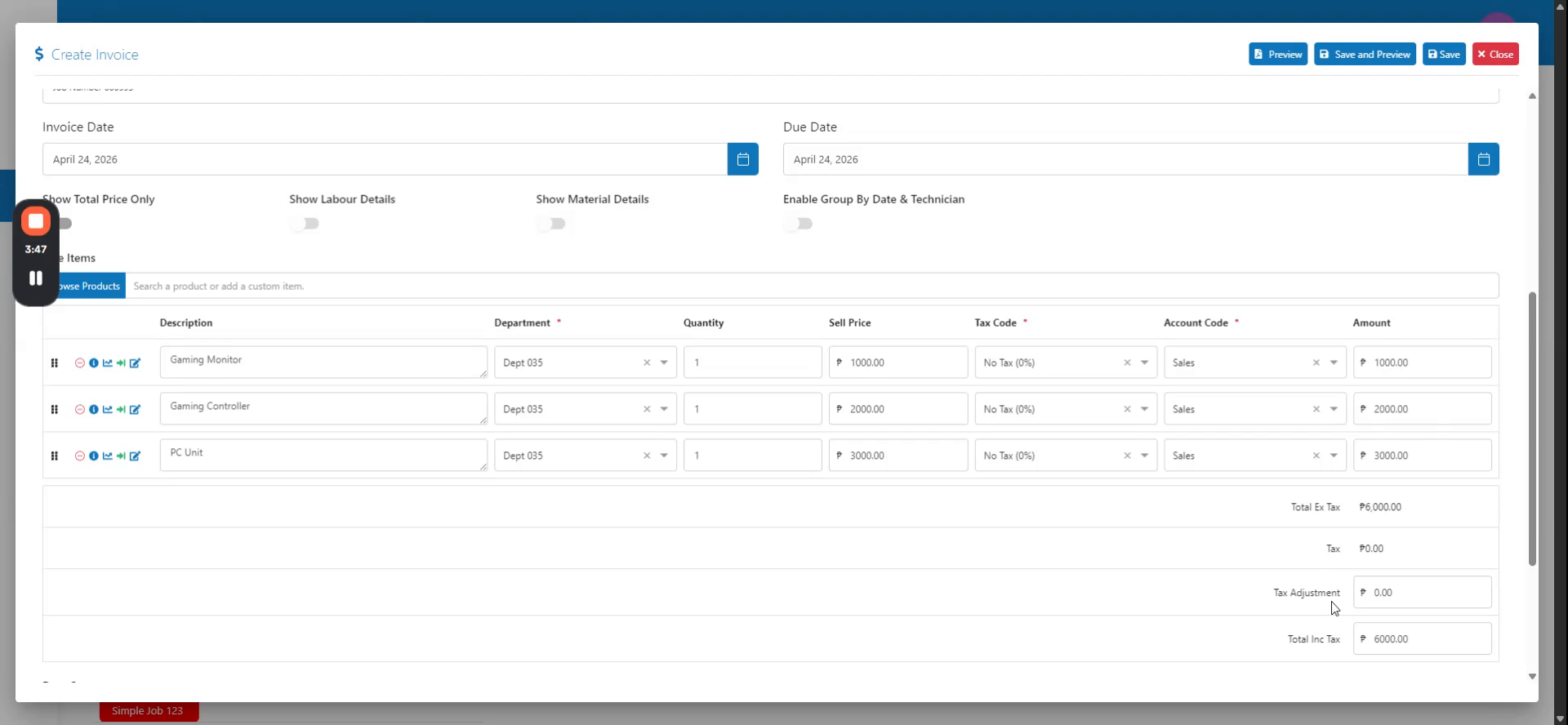
Save the job record, then navigate to the customer inbox to create an invoice.
 Step 4
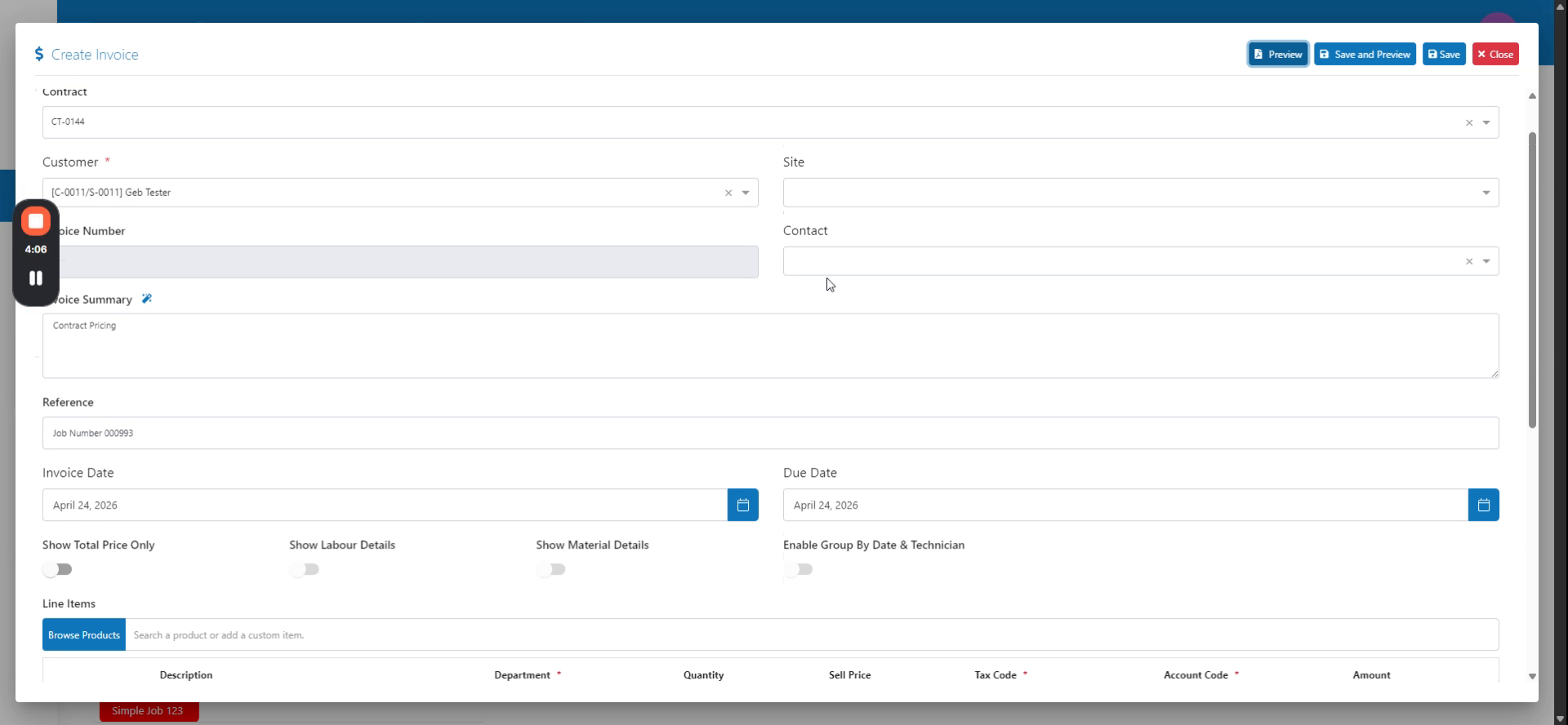
Verify that the contract is referenced and the contract pricing is applied to the products.
 Step 5
Save the customer invoice to complete the process.