Customers, Sites & Contacts
Create a Customer Record
Learn how to create a customer record in FieldMagic.
Step-by-step instructions
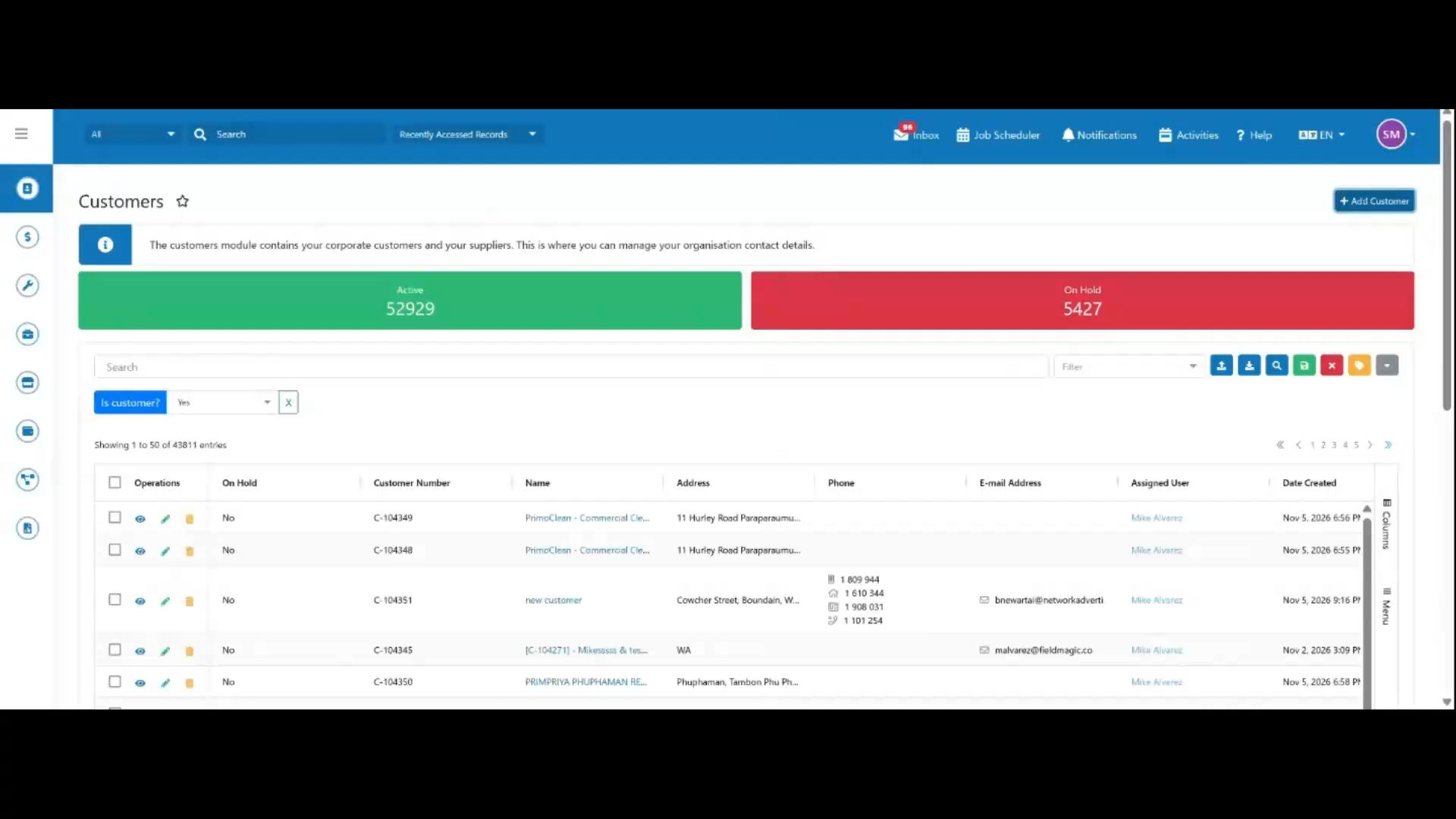 Step 1
Open the Customers module and click Add Customer.
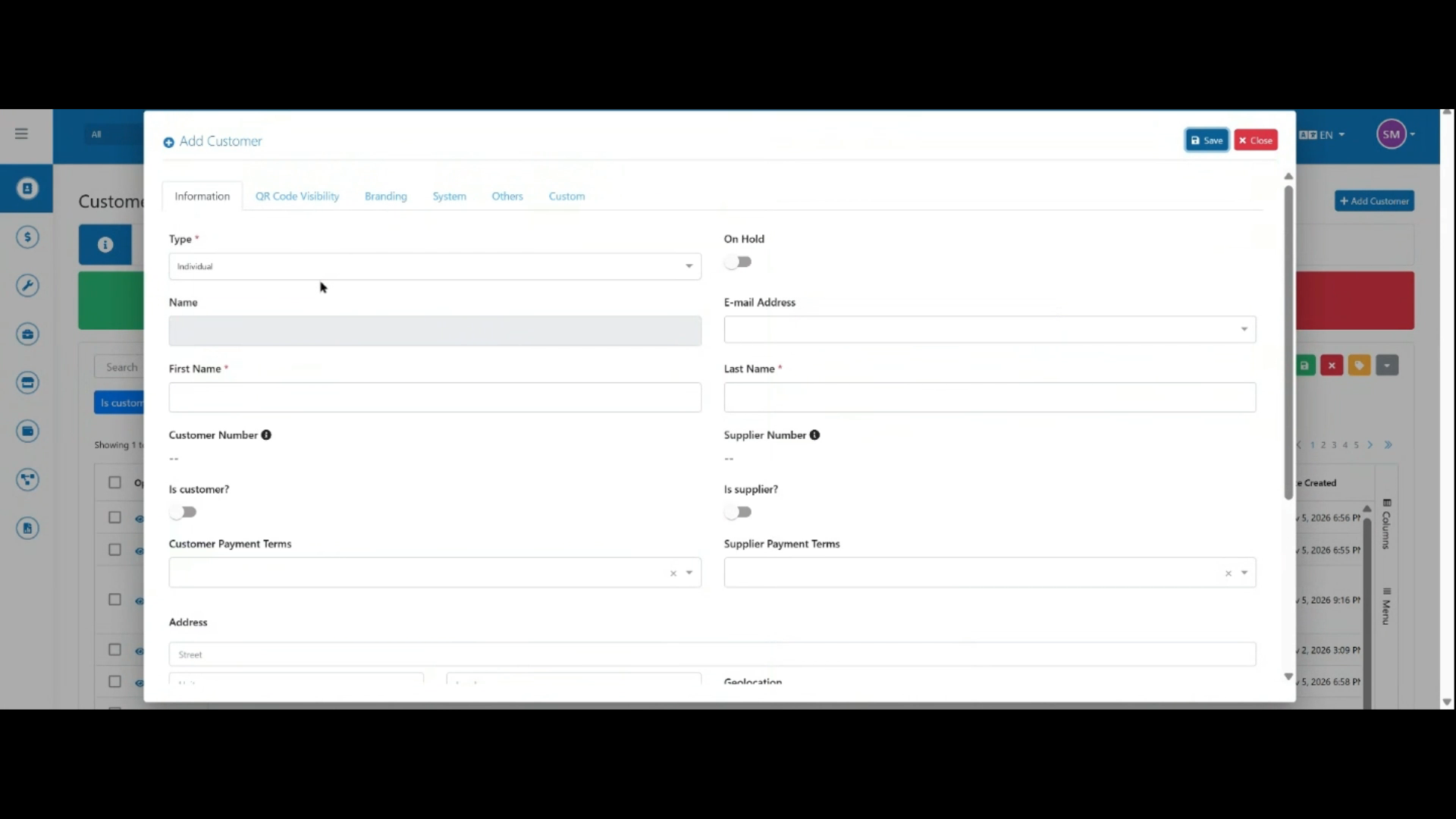 Step 2
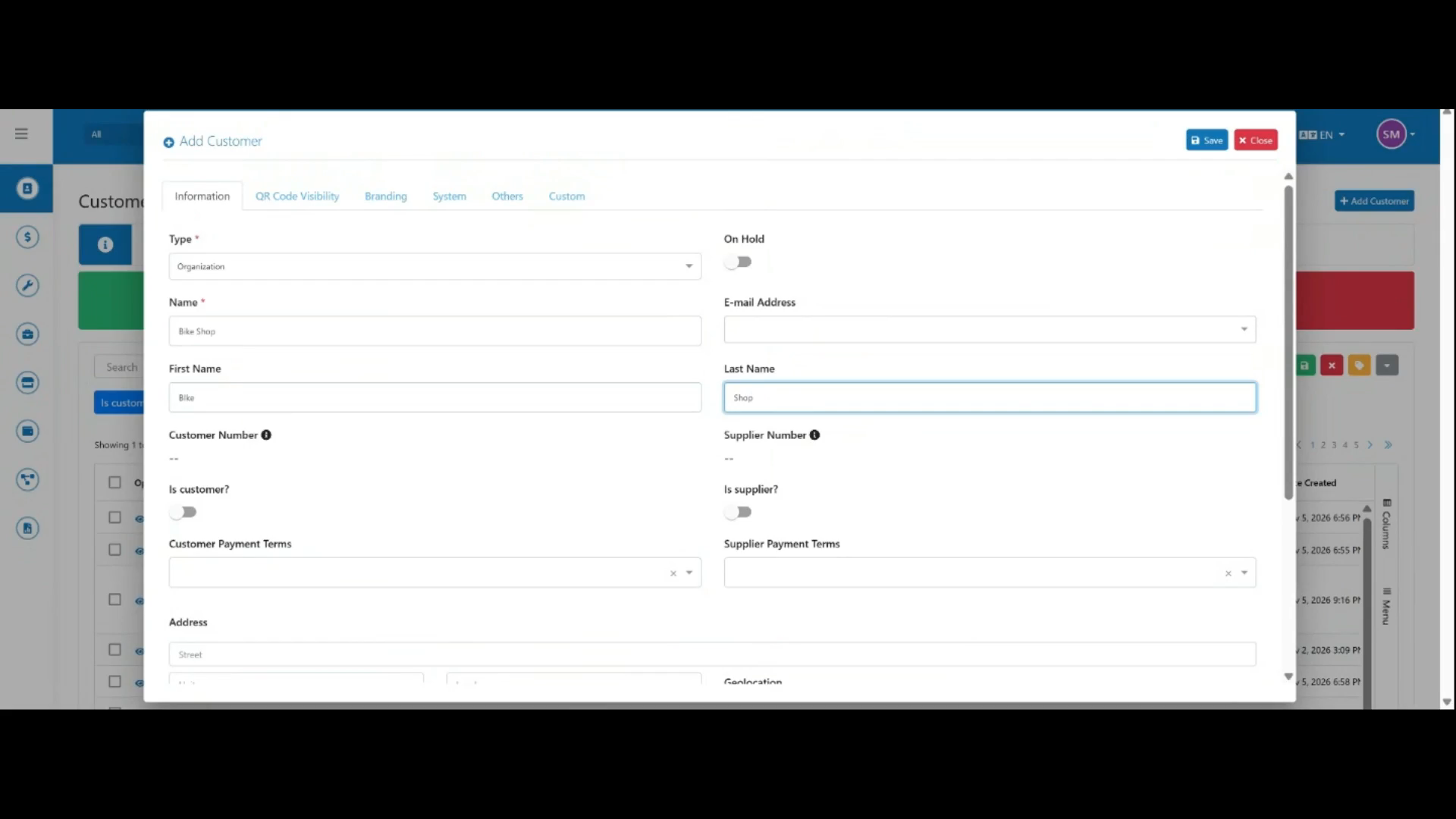
In the Add Customer form, select the customer type: Individual or Organization.
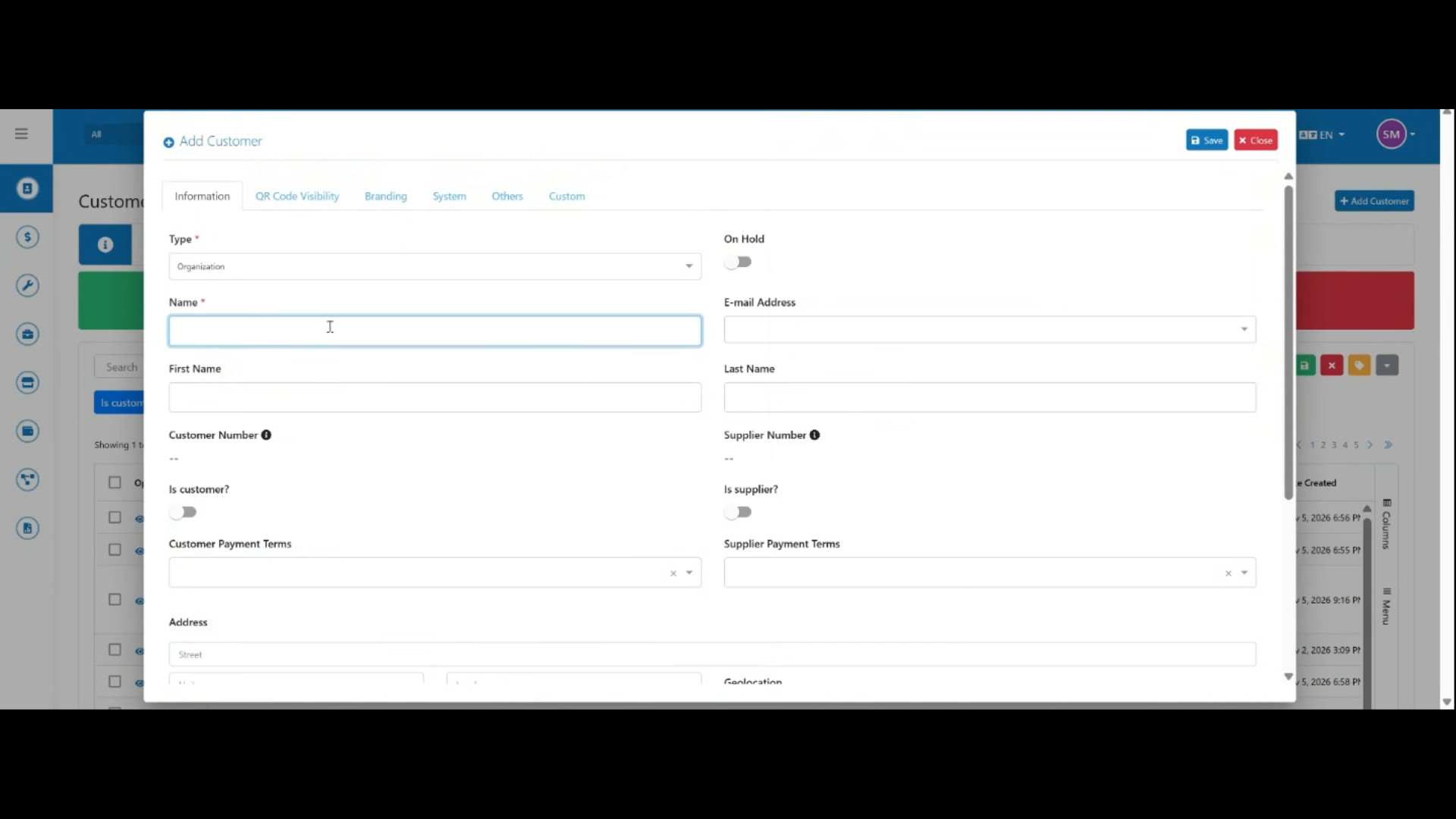 Step 3
For this example, select Organization and enter the organization name.
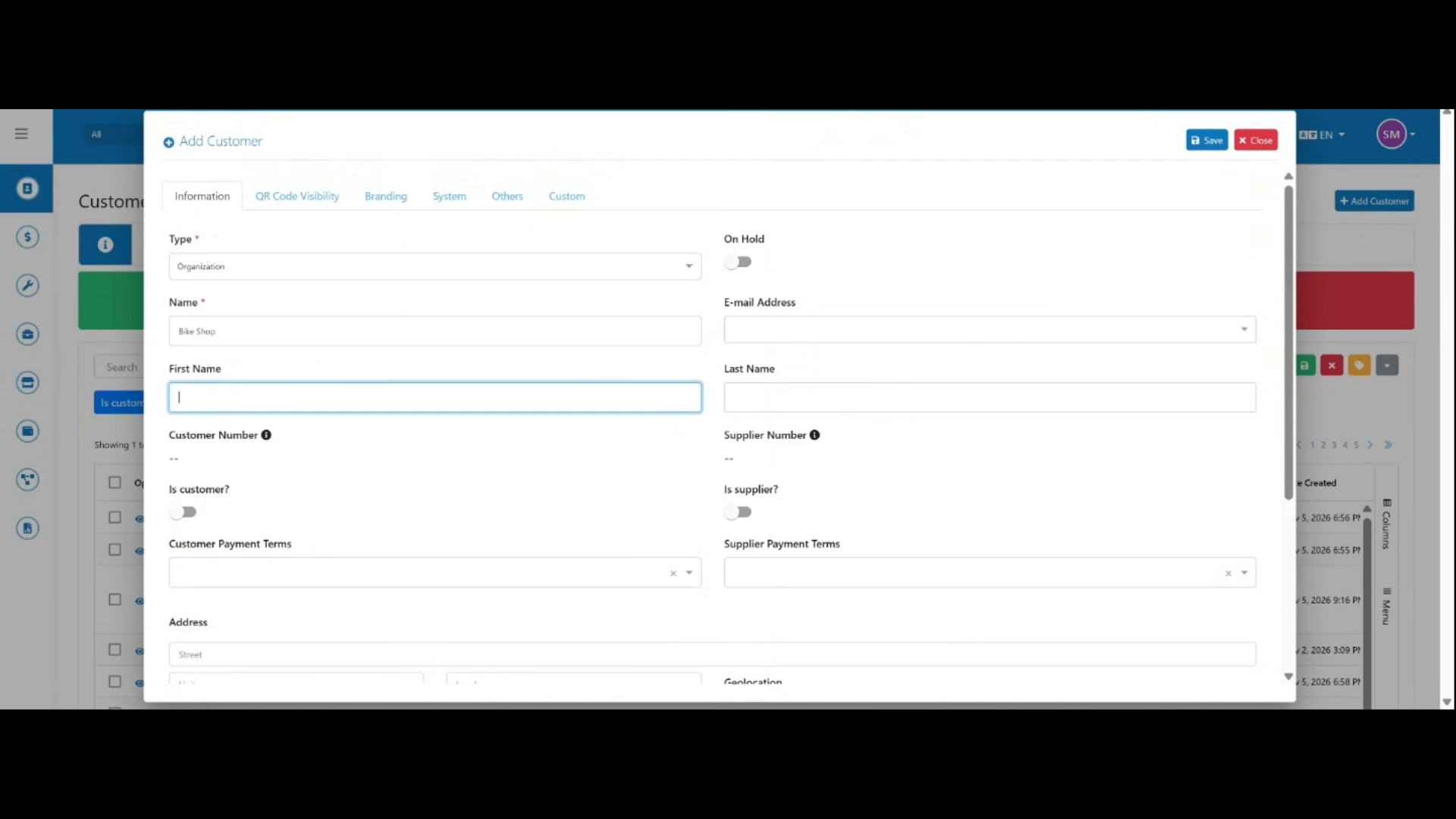 Step 4
Enter the primary contact's first and last name.
 Step 5
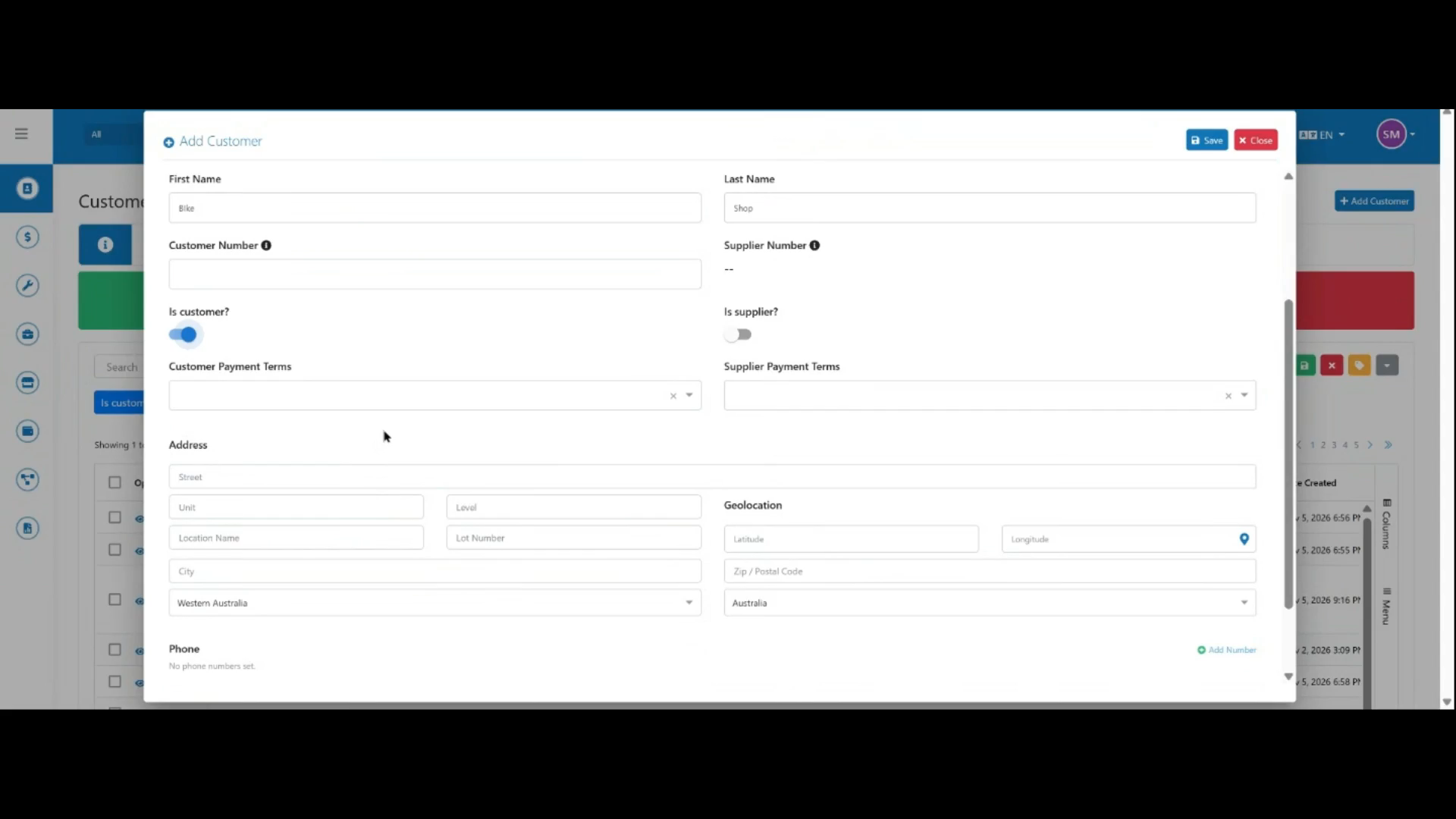
Enable the Is Customer toggle to mark this record as a customer.
 Step 6
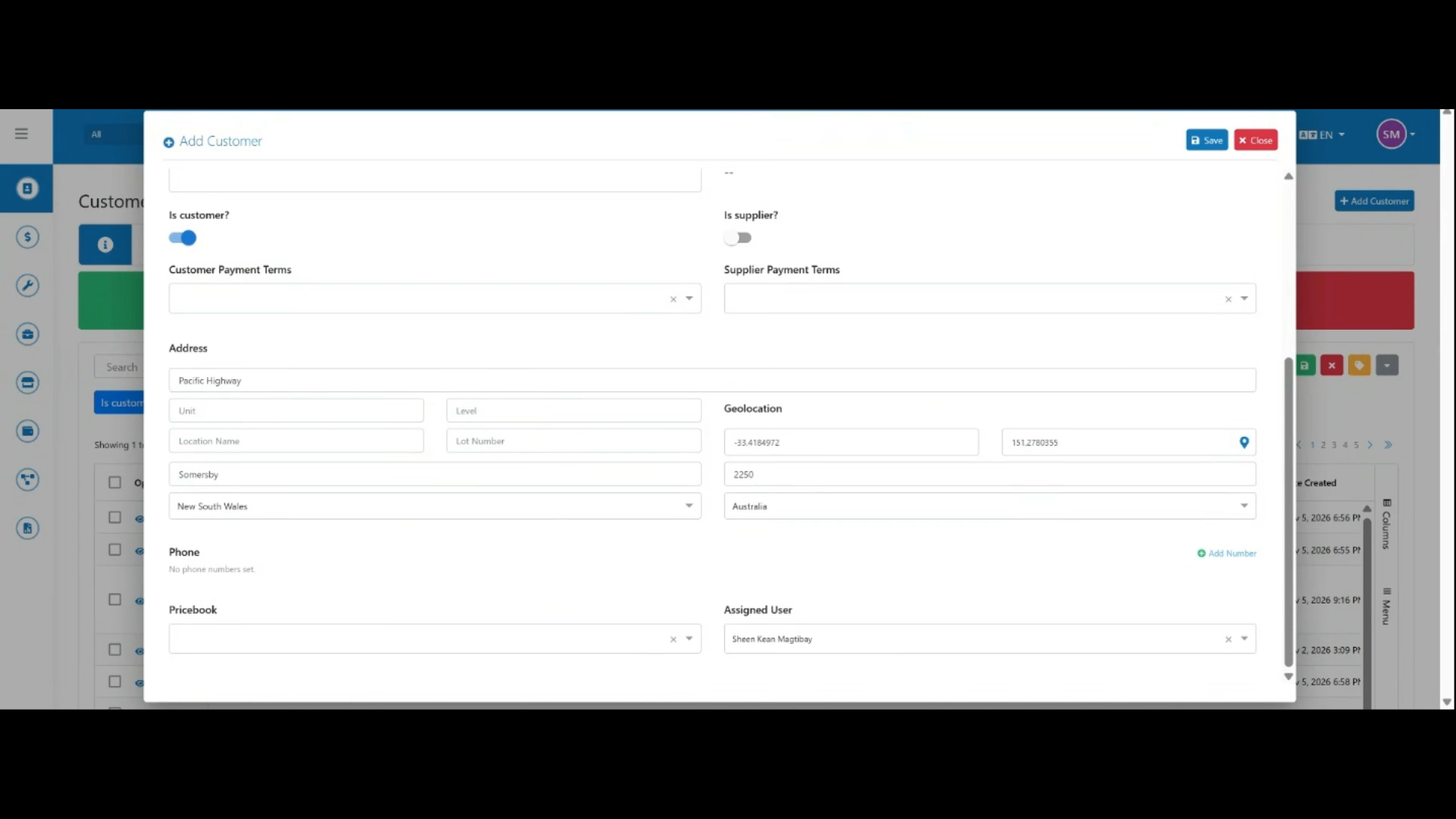
Enter the customer's address — start typing and select a match from the auto-complete suggestions.
 Step 7
Review the details, then click Save to create the customer record.