Getting Started
How to configure your subscription plan, payment methods, and billing information
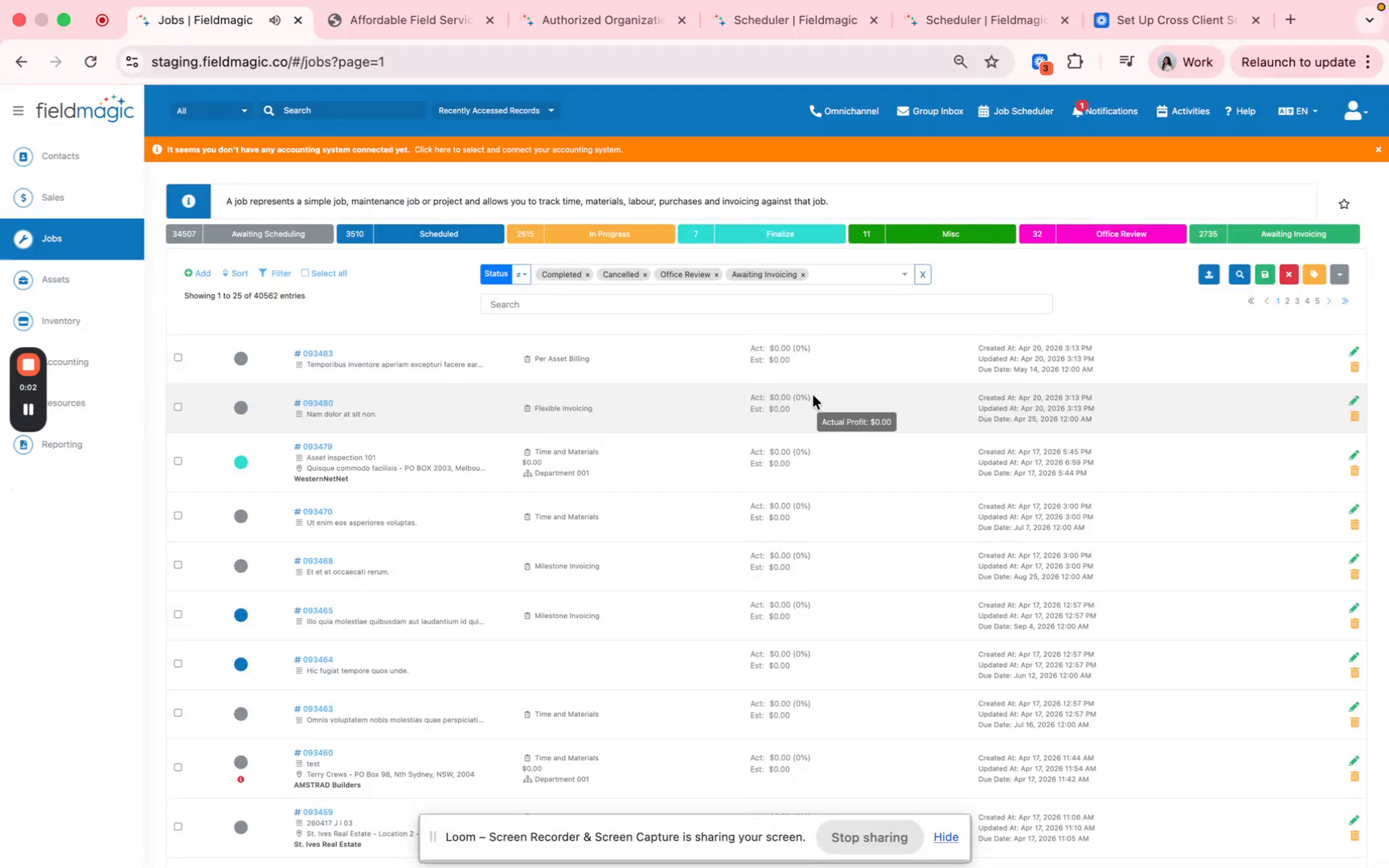
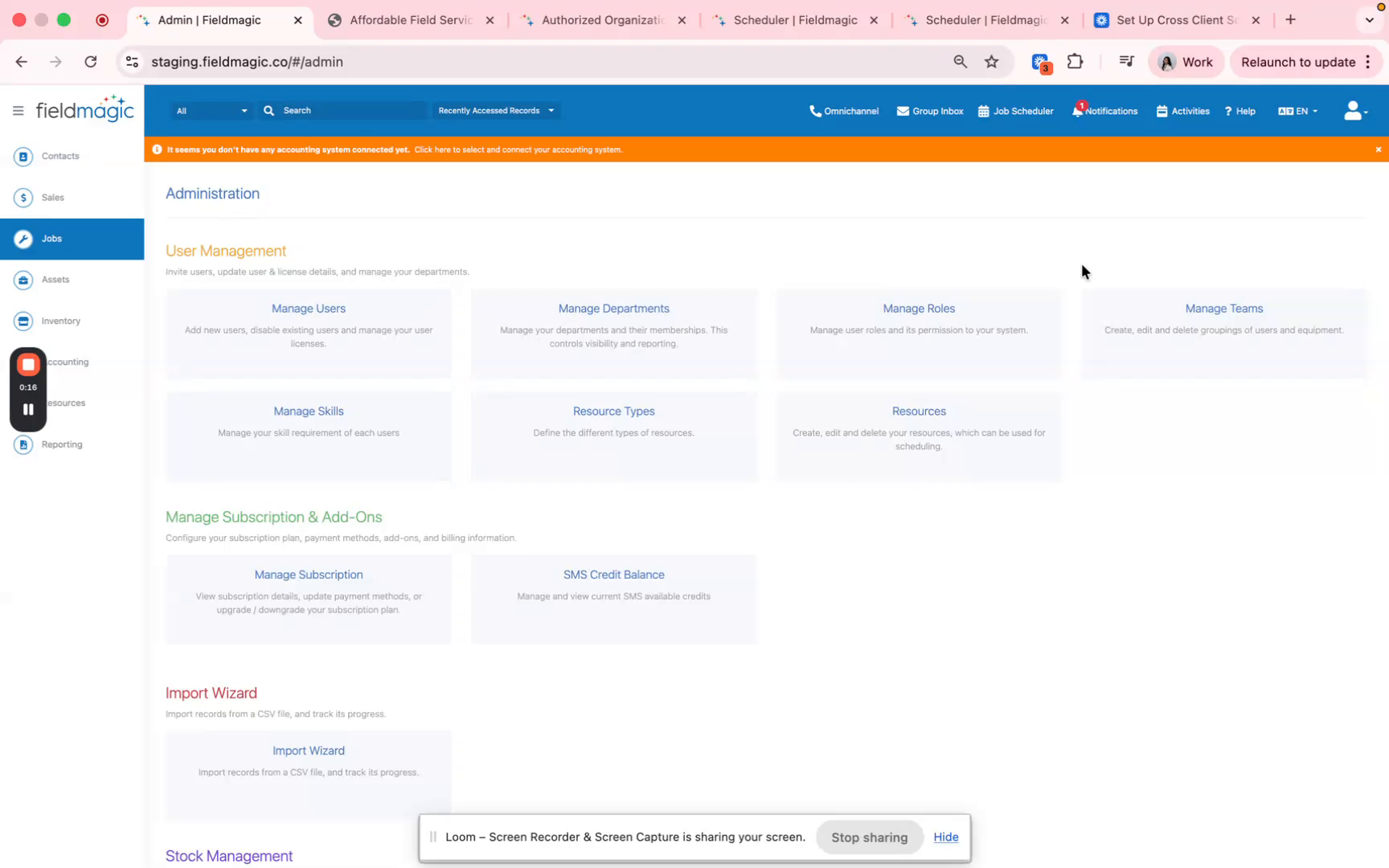
Navigate to Settings, then locate Manage Subscription and Add-ons and click Manage Subscription.
Step-by-step instructions
 Step 1
Navigate to Settings, then locate Manage Subscription and Add-ons and click Manage Subscription.
 Step 2
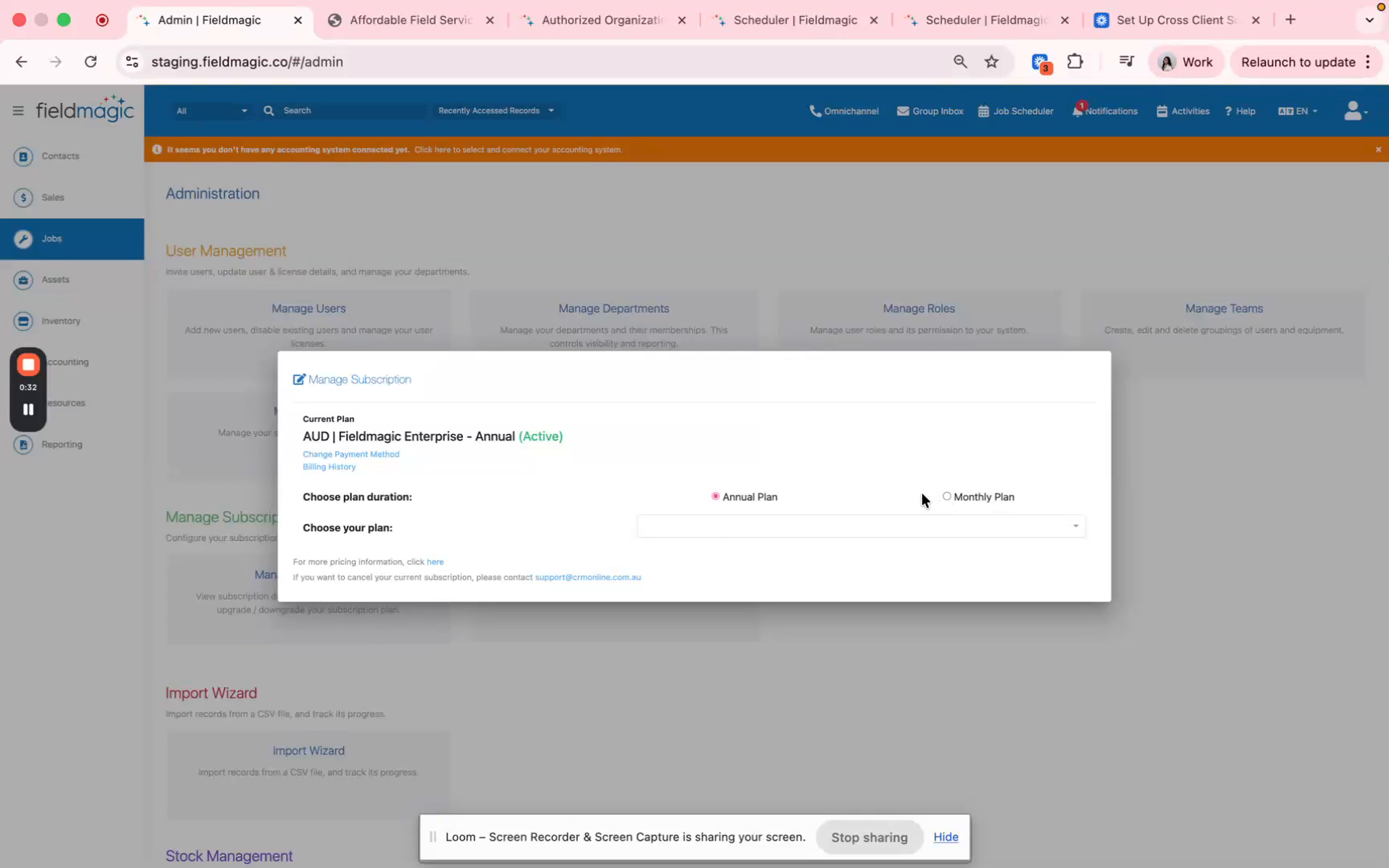
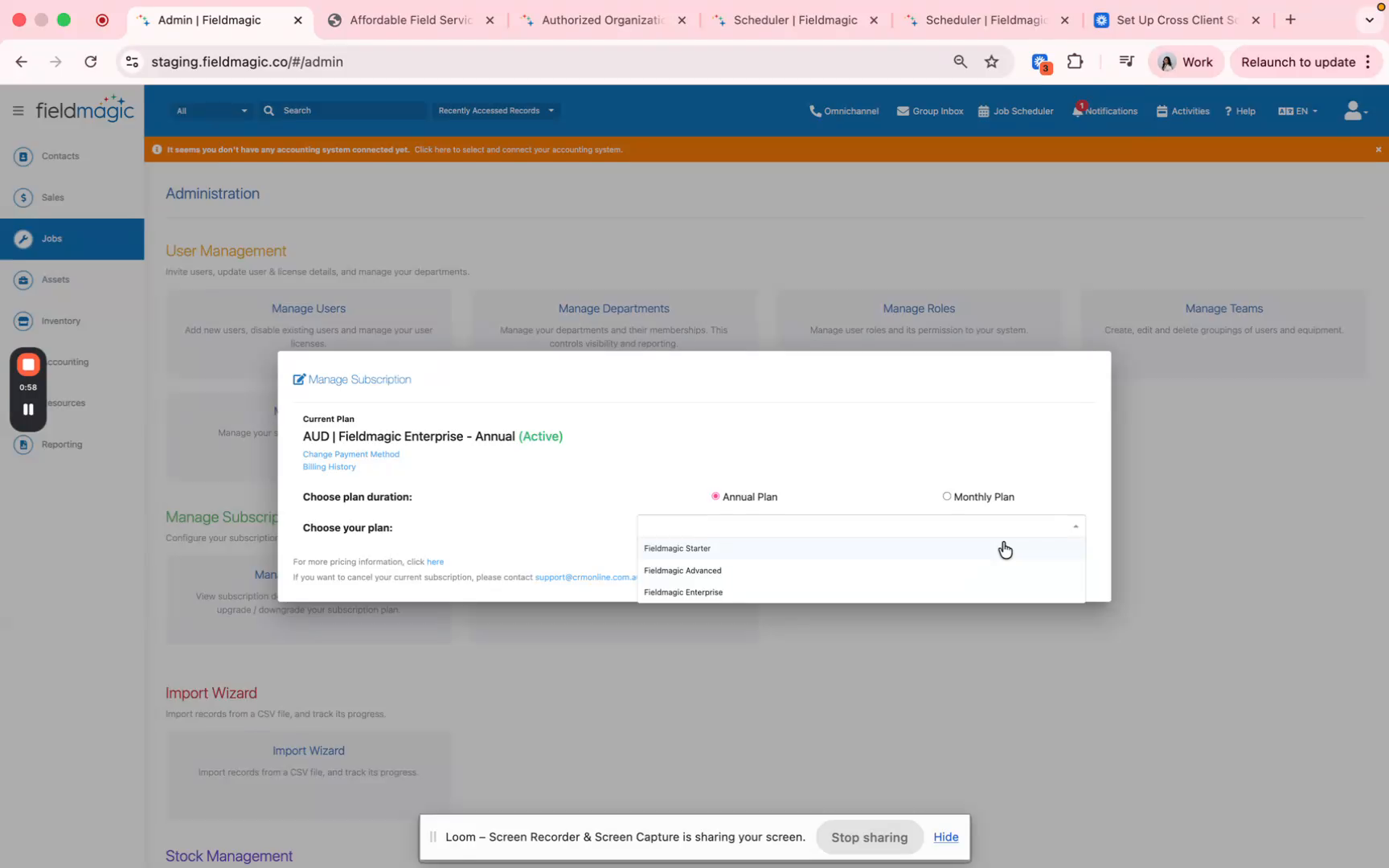
look for manage subscription and add-ons and click manage subscription. From here, you can choose your plan duration, whether you prefer annual or monthly billing.
 Step 3
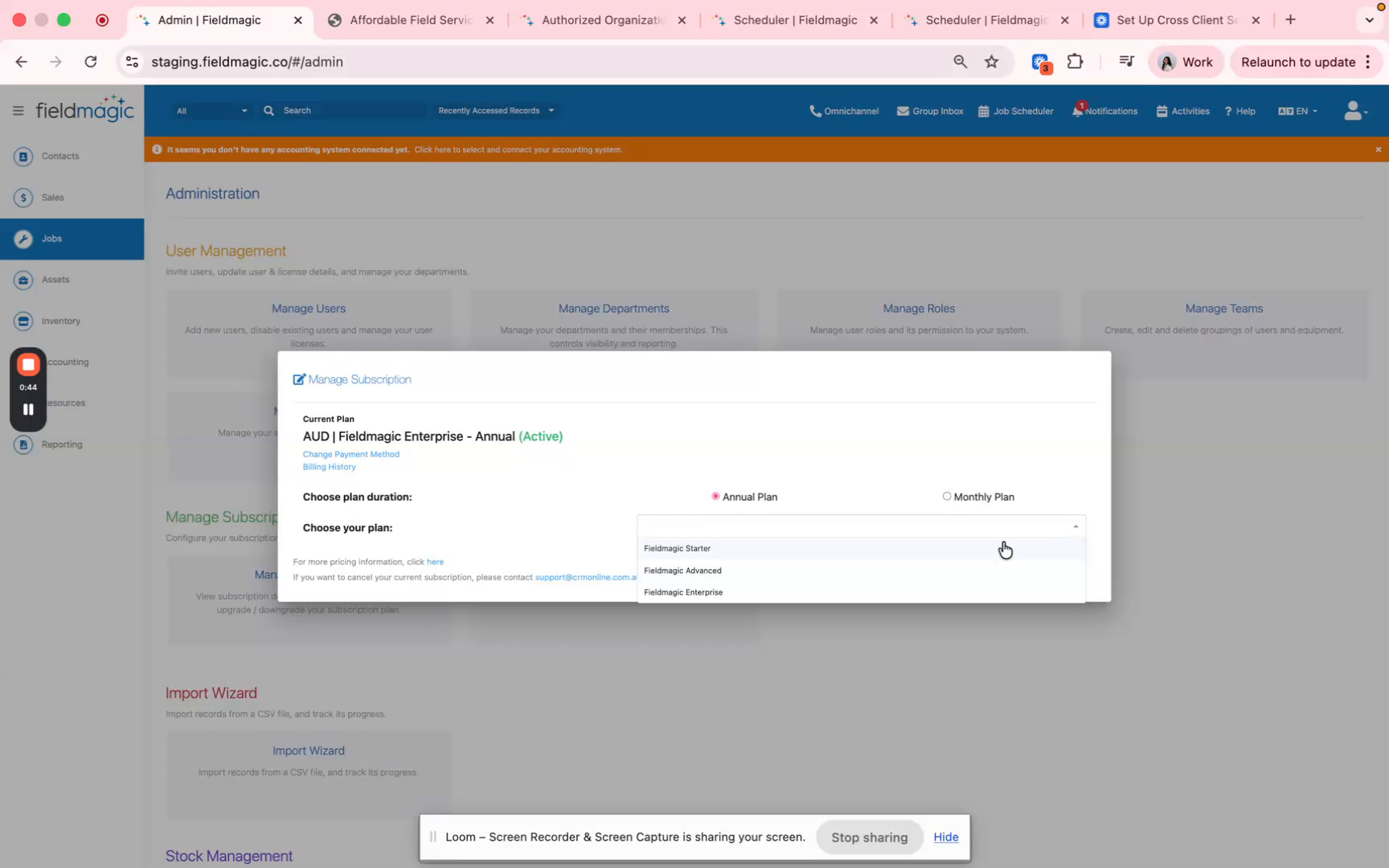
Next, you can select your plan. We have the Field Magic starter, ideal for small businesses that don't need to manage assets.
 Step 4
We have the Field Magic Advance also suited for small businesses with basic needs. We have the Field Magic Enterprise, ideal for businesses looking for a competitive advantage
 Step 5
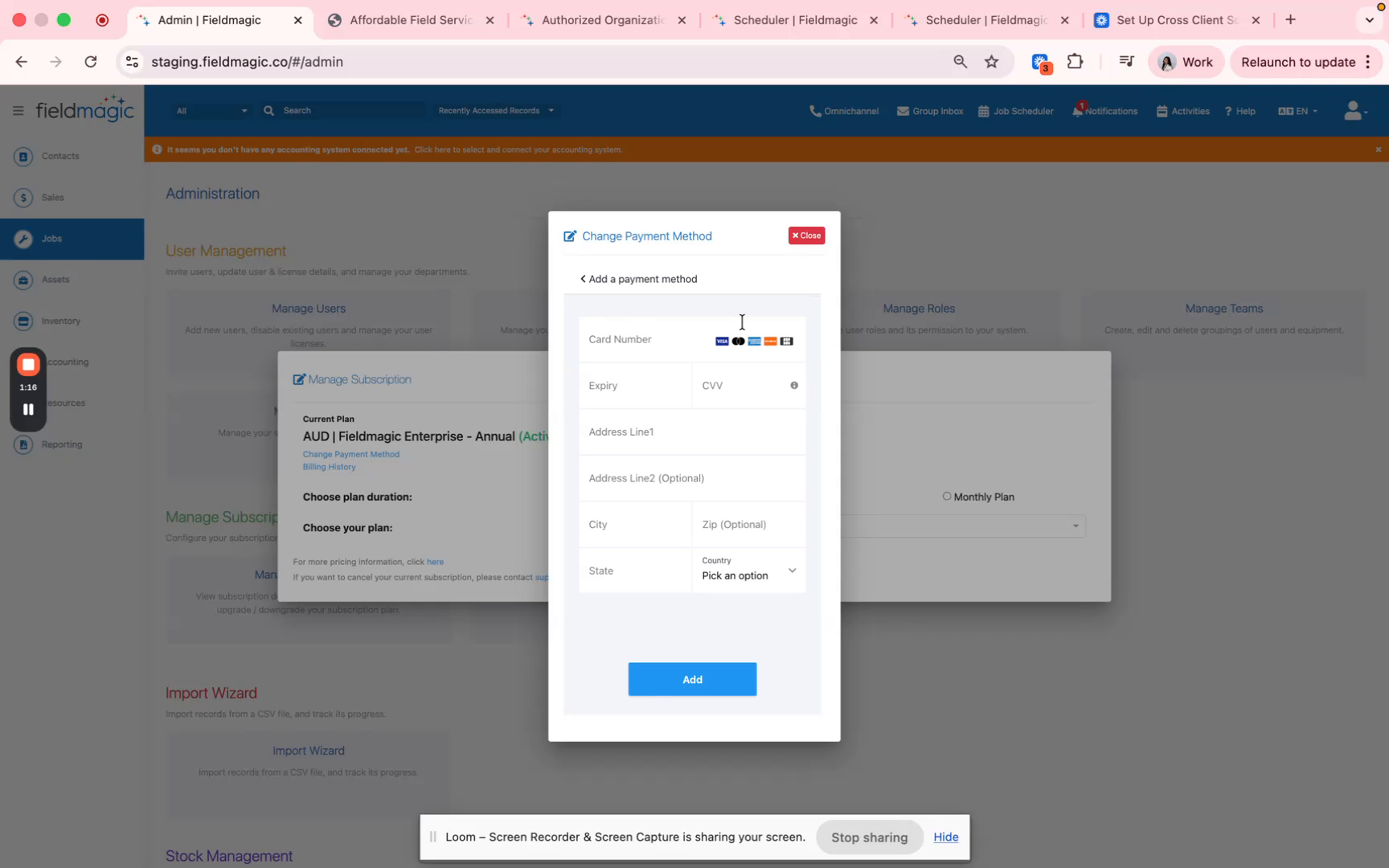
with more advanced features. You can also update your payment method here. Simply click the add new button and fill in
 Step 6
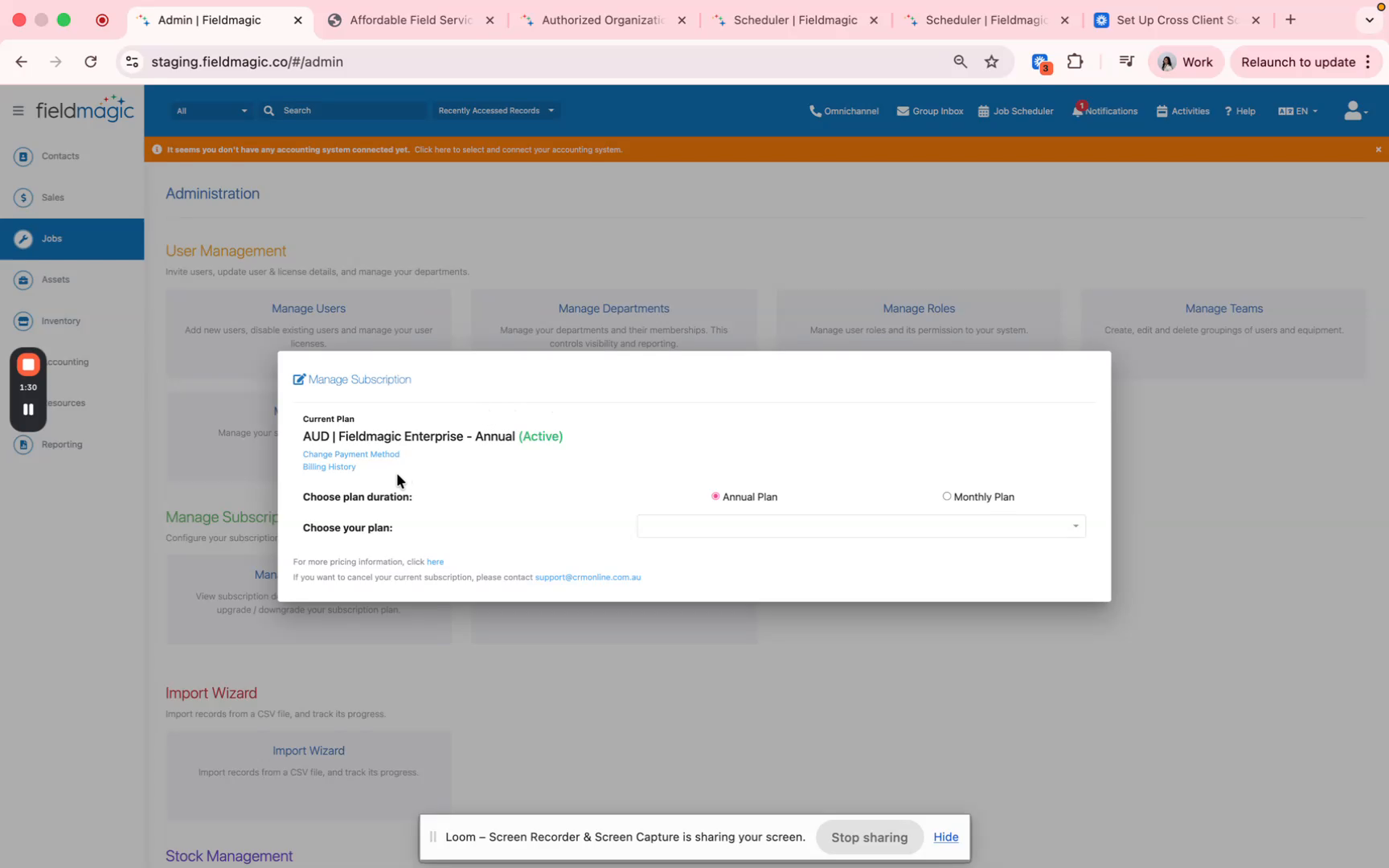
your card details. After filling in your card details click add and it will update your payment method. Lastly, you can view and download your billing history anytime
 Step 7
from this section. And if you need more information, you can also click here and it will redirect you to the website that has information about the plans.