Customers, Sites & Contacts
How to Grant Portal Access to Customers
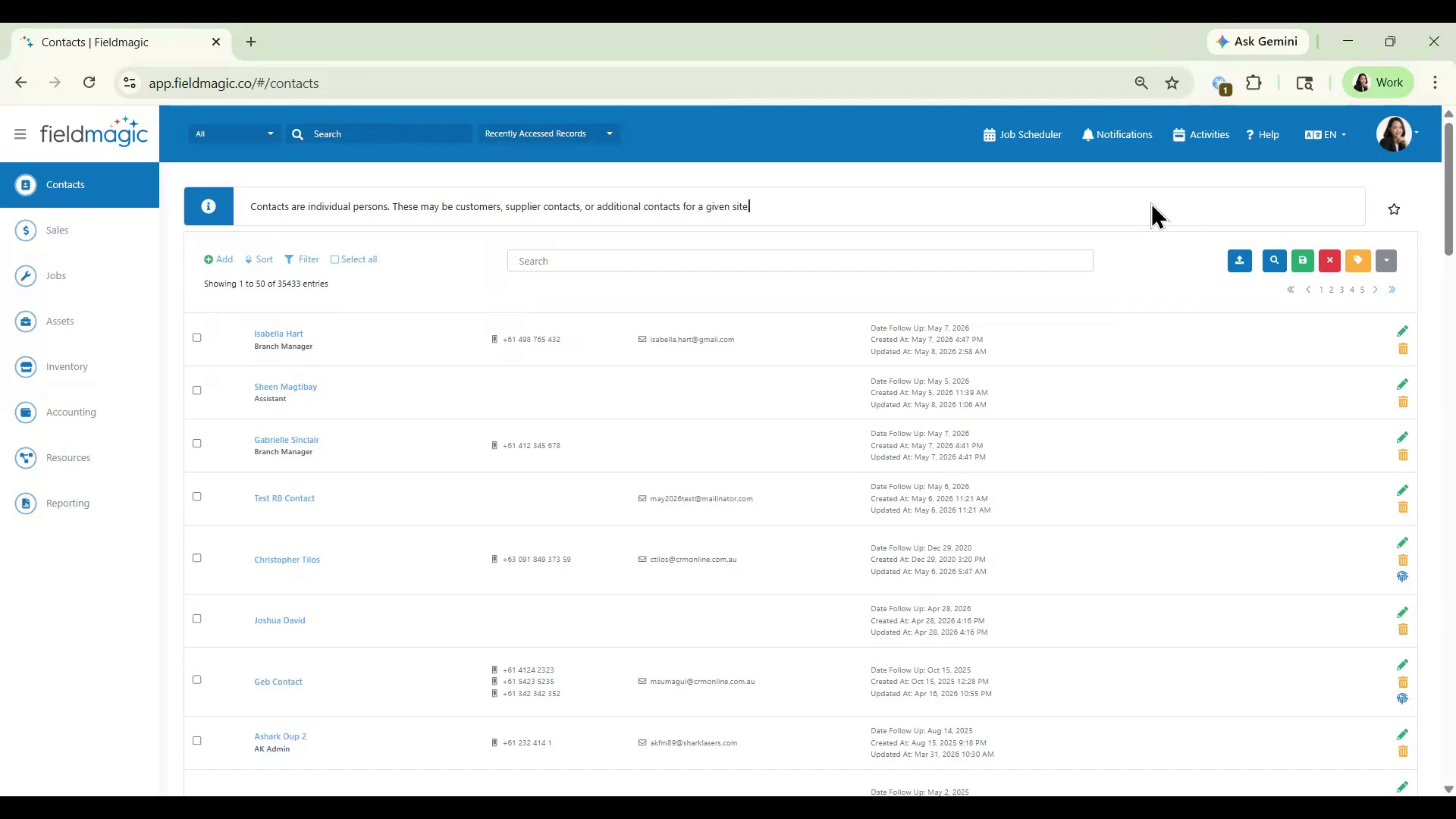
Navigate to Contacts and search for the customer you want to grant portal access to.
Step-by-step instructions
 Step 1
Navigate to Contacts and search for the customer you want to grant portal access to.
 Step 2
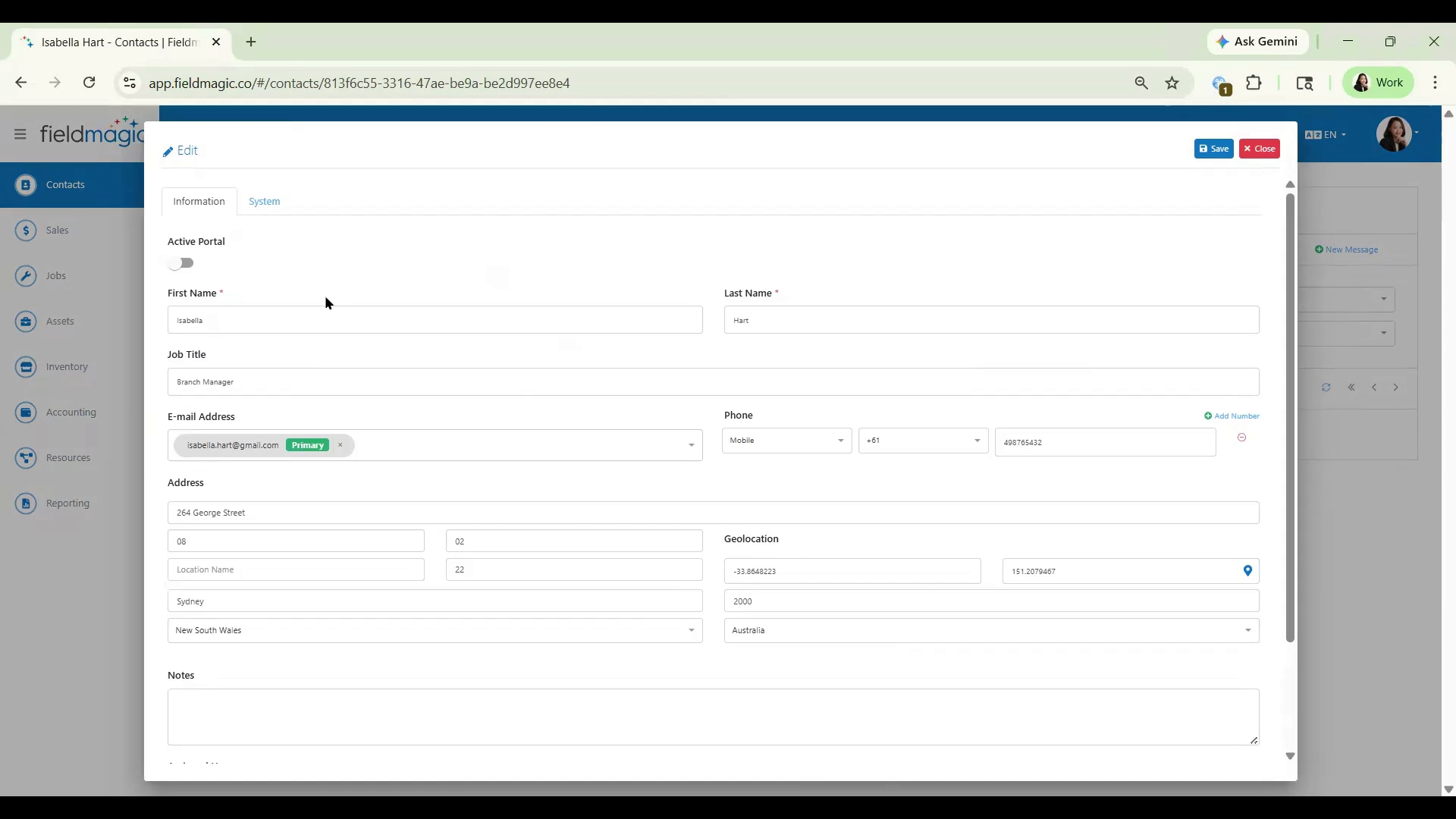
Click Edit. Toggle Active Portal to On, then click Save. Click Customers in the left pane and select Manage Customer Roles.
 Step 3
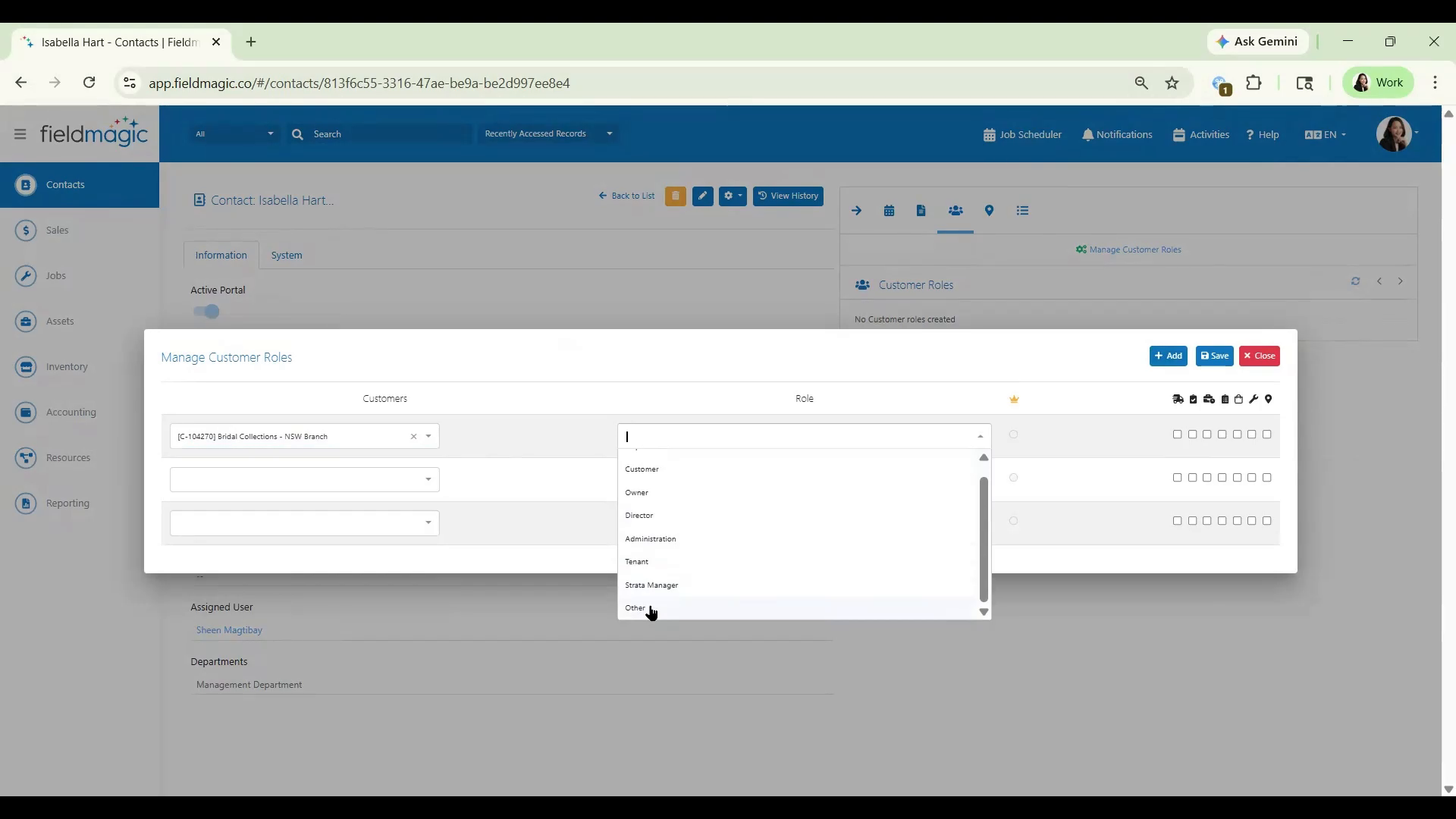
Select your customer and assign the appropriate roles. Ensure the option Display all sites in portal related to this customer is checked, then click Save.