Asset Inspections & Management
Migrated Inspection Period and Old Inspection Period
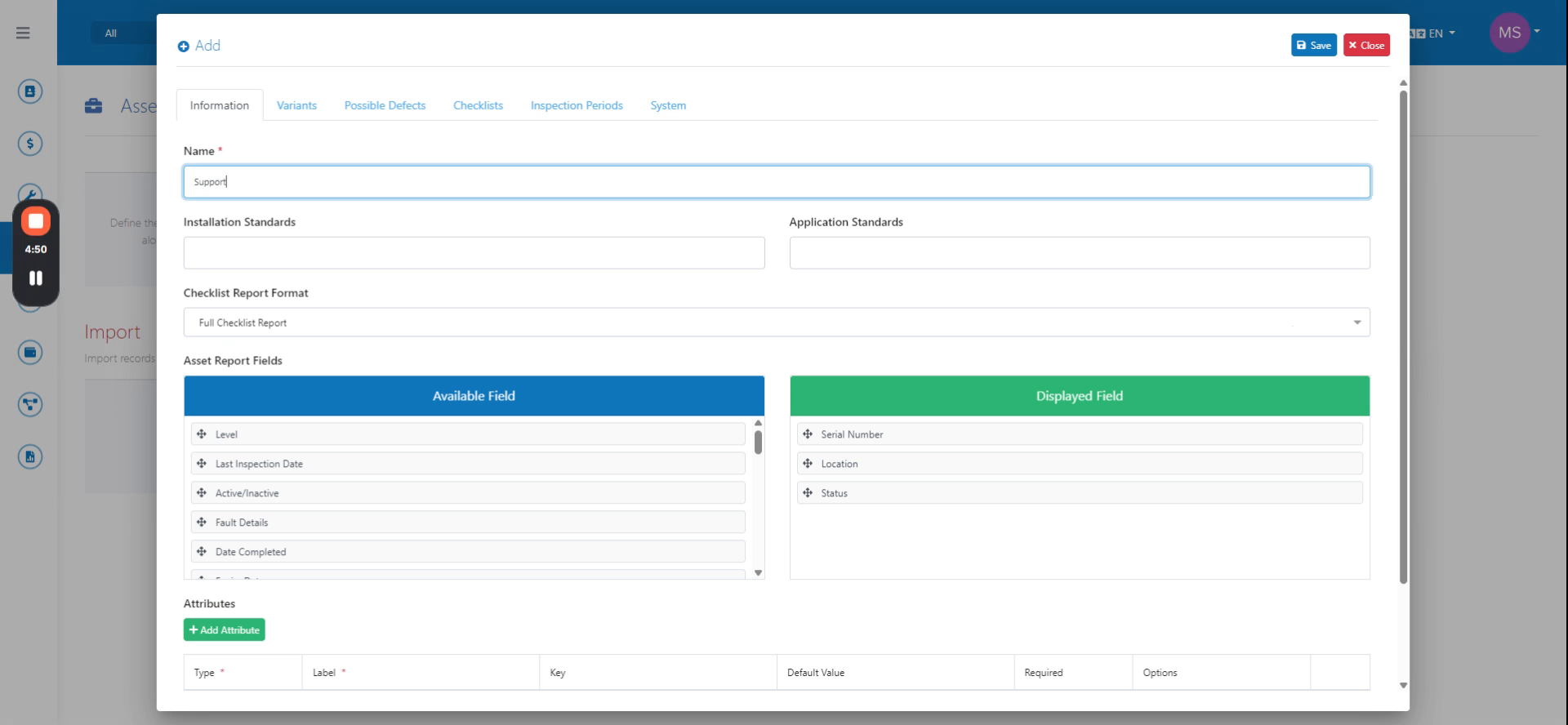
Locate the asset type that has not yet been migrated. Note the Inspection Period and Checklist tabs displayed on the screen.
Step-by-step instructions
 Step 1
Locate the asset type that has not yet been migrated. Note the Inspection Period and Checklist tabs displayed on the screen.
 Step 2
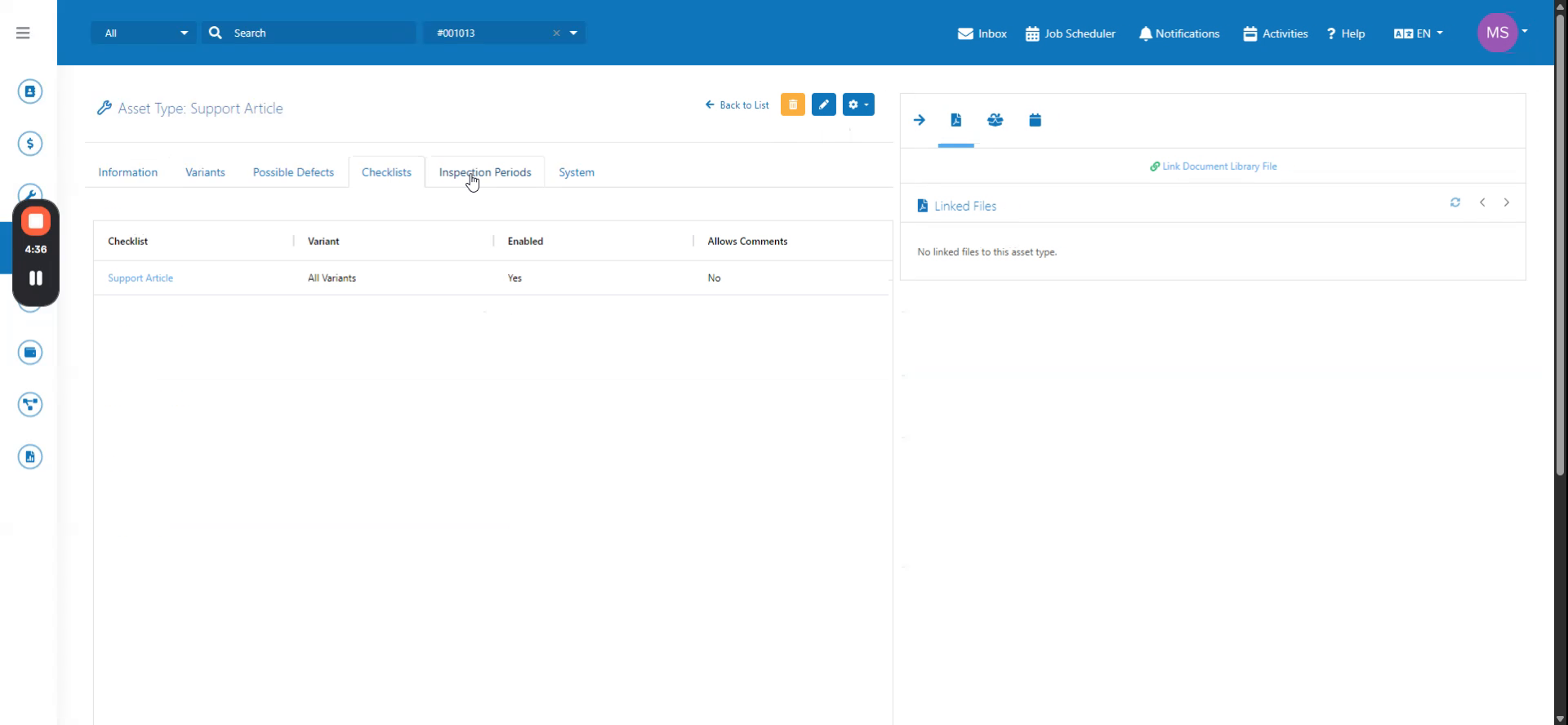
Select the main checklist for the asset type. Note that only one checklist option is available.
 Step 3
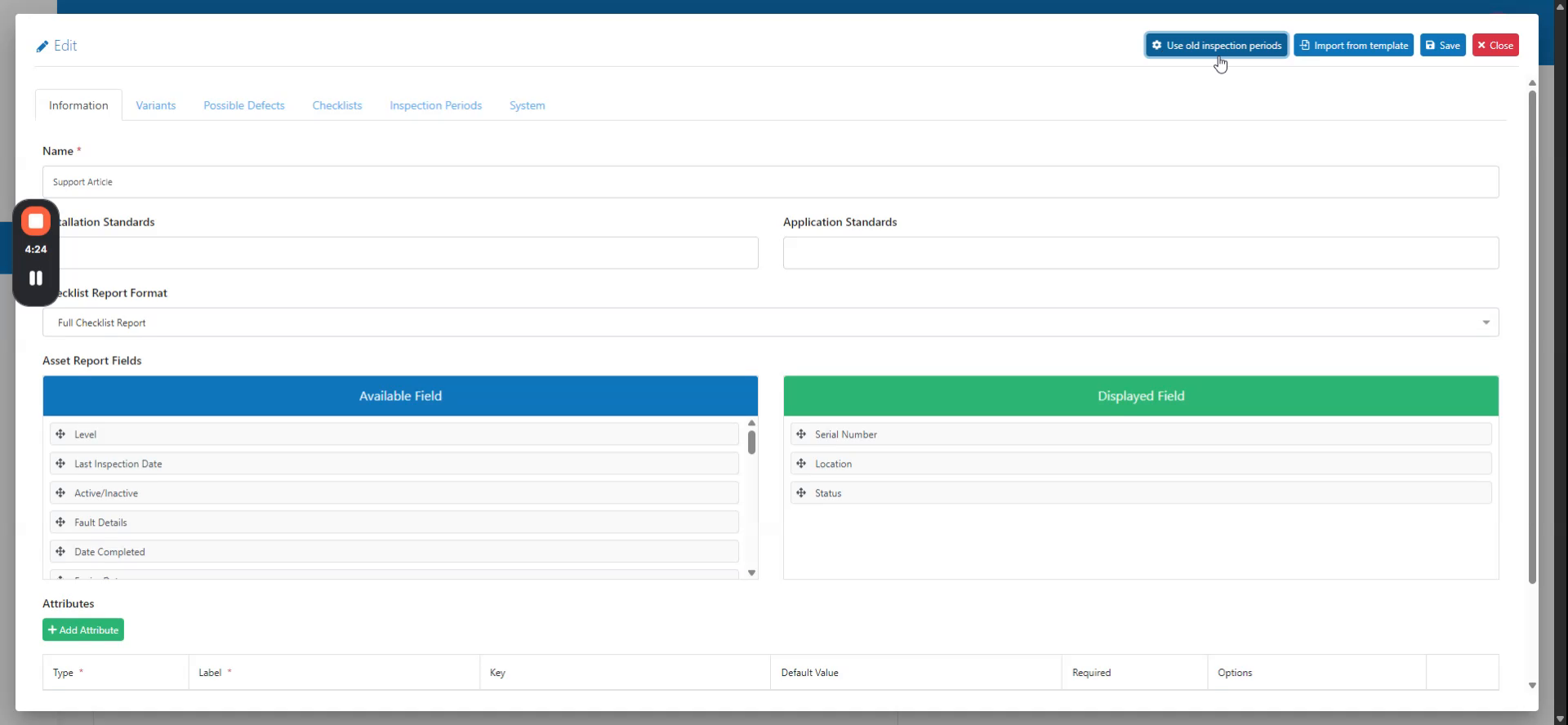
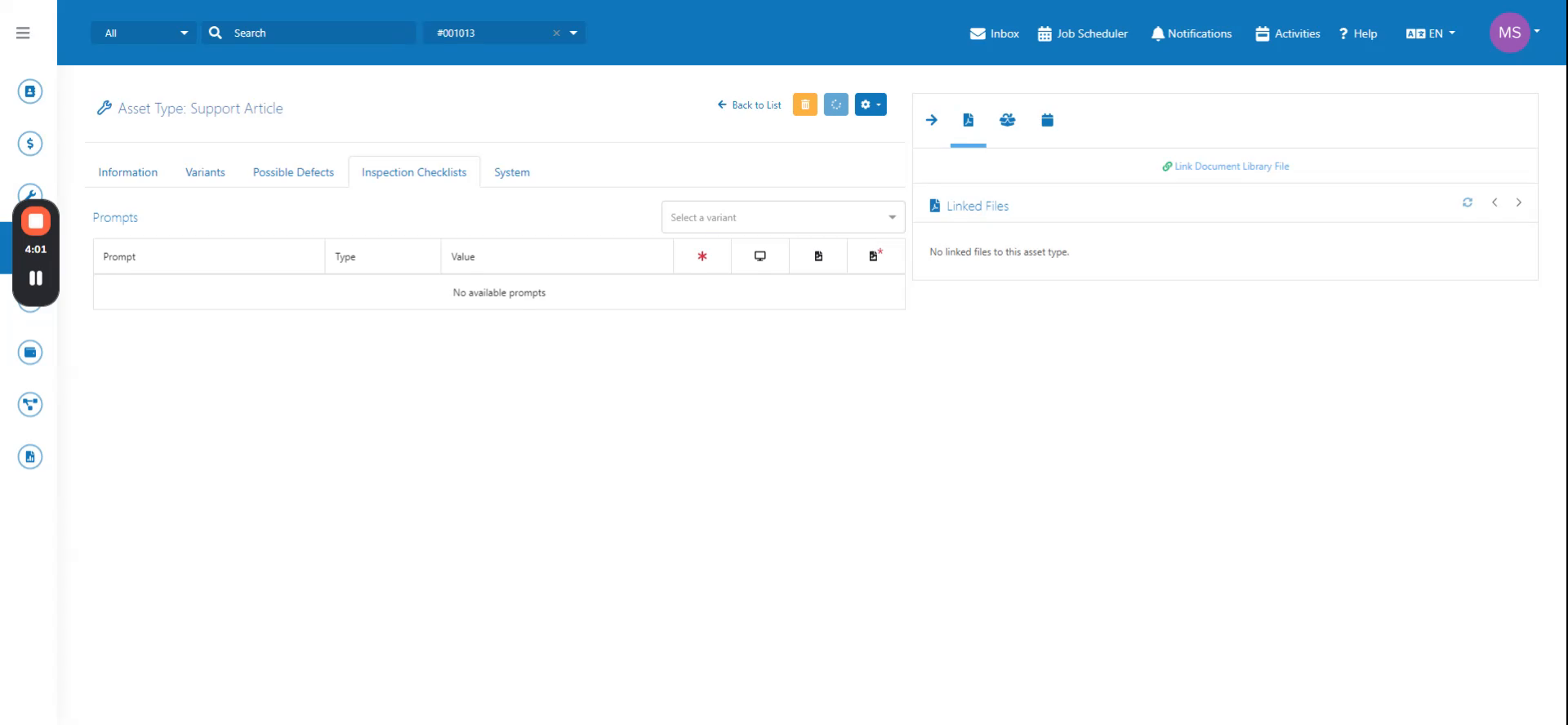
Navigate to the checklist within the asset type section to access the old inspection period flow.
 Step 4
Click the button in the upper right corner labeled "Migrate Inspection Period" to migrate the asset type and allow multiple checklist links.