Cost Centers
Setting Up Job Cost Centers for Tracking
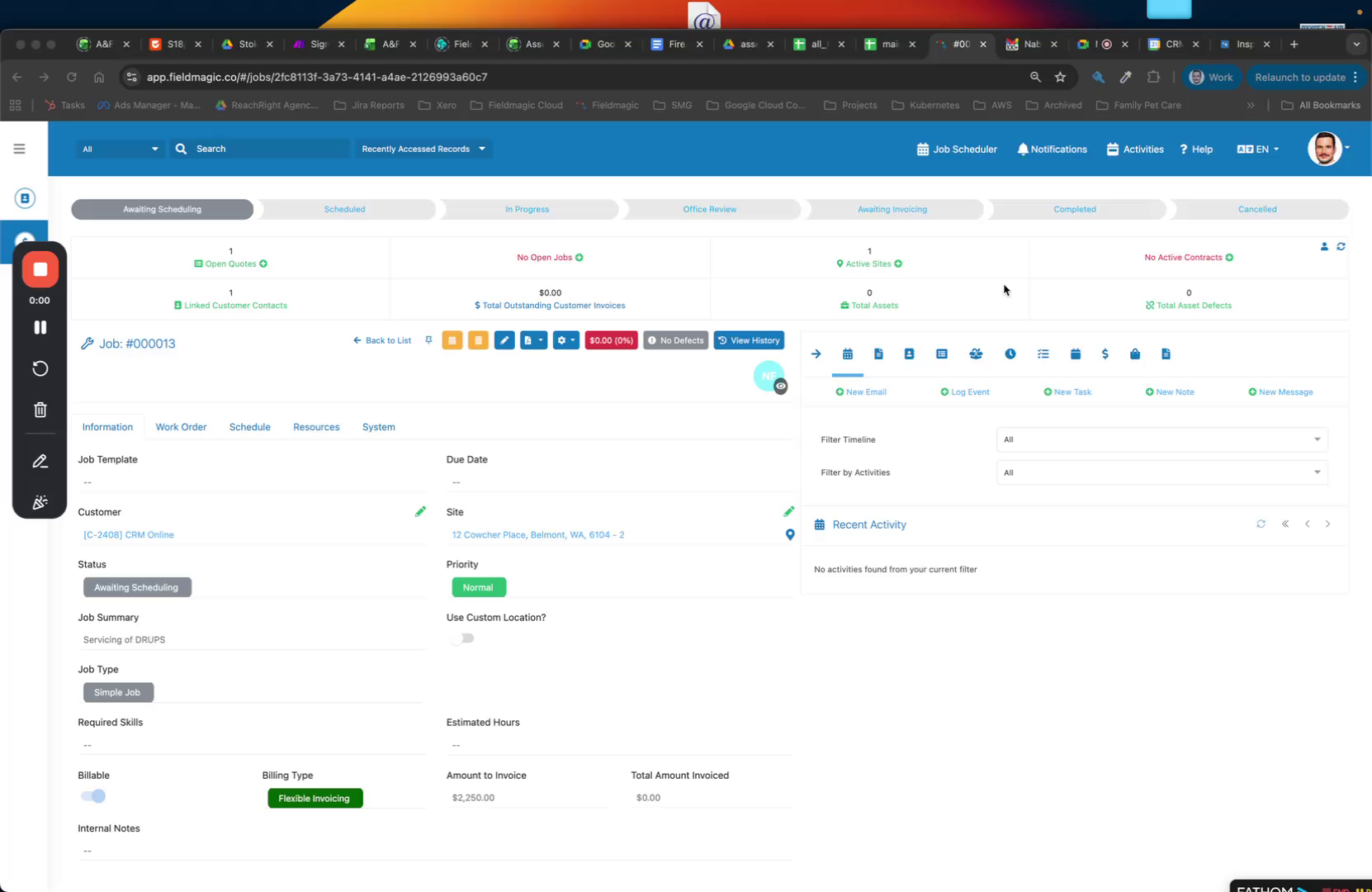
Open the job you want to edit and click the Edit button to modify the job settings.
Step-by-step instructions
 Step 1
Open the job you want to edit and click the Edit button to modify the job settings.
 Step 2
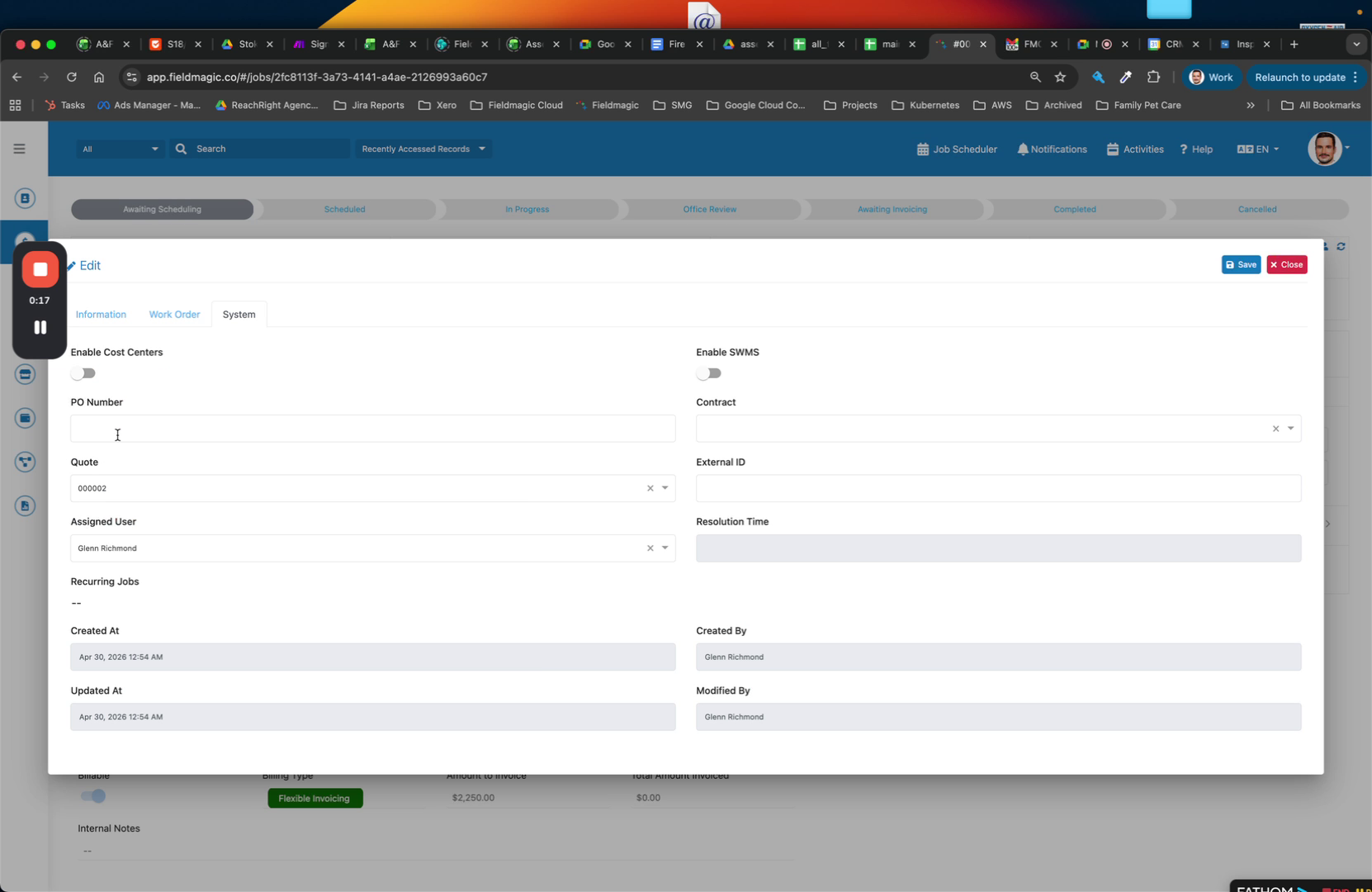
Enable the Cost Centers option. Optionally, enable Swimlanes. The cost centers section becomes available.
 Step 3
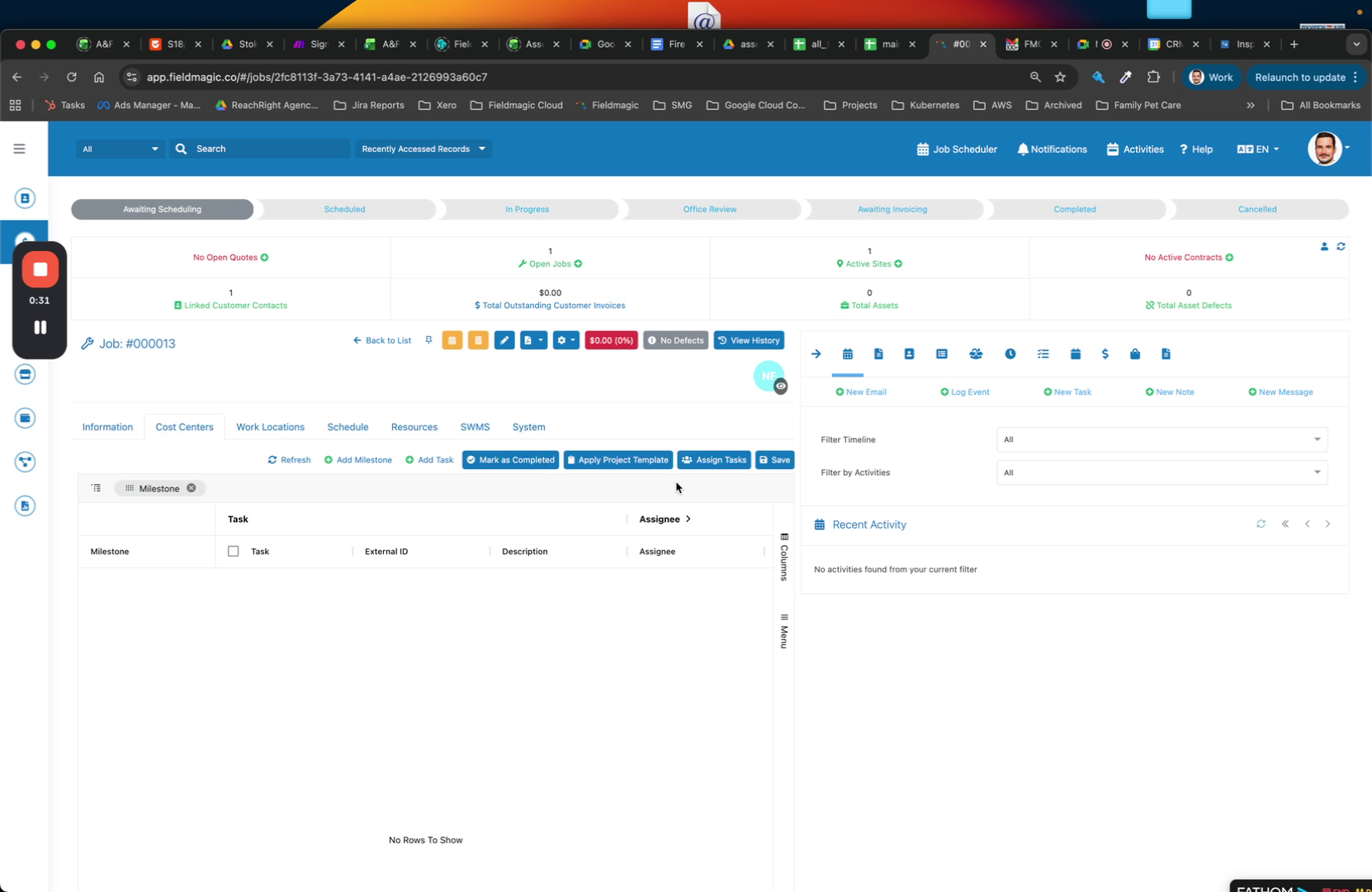
To apply default cost centers, select an existing project template from the dropdown. Then create your milestones.
 Step 4
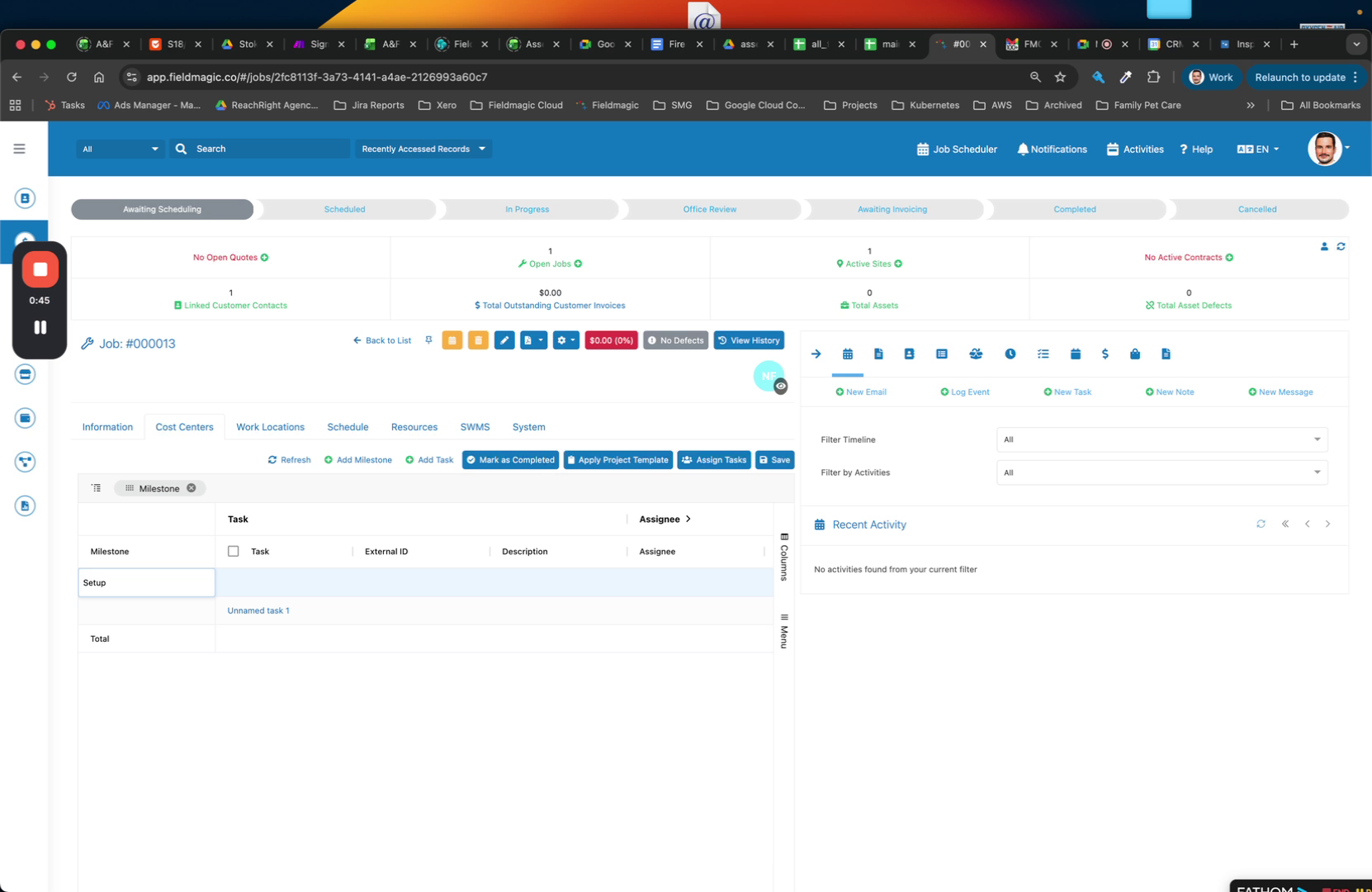
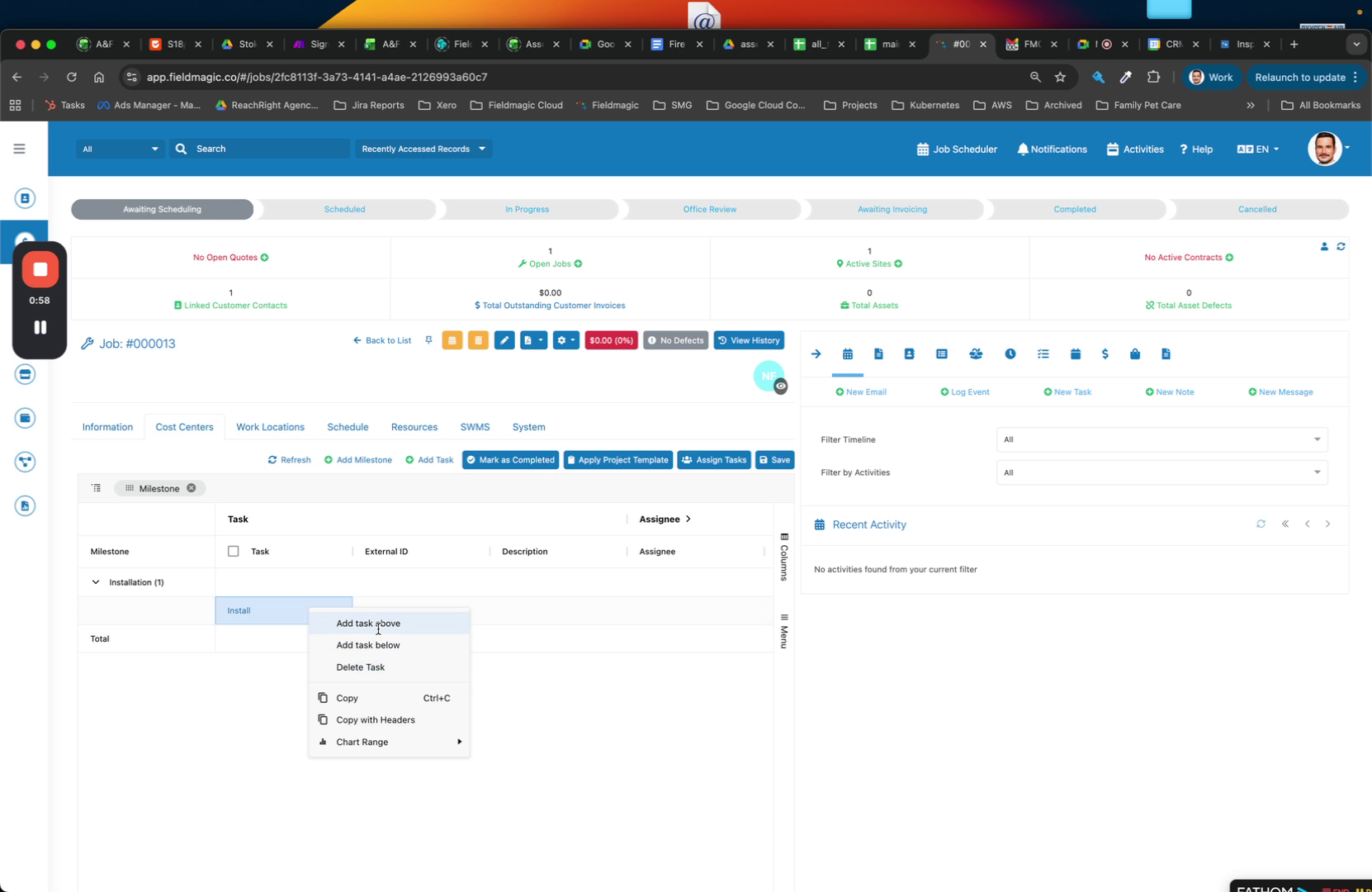
Enter a milestone name (e.g., Installation). Add tasks to the milestone.
 Step 5
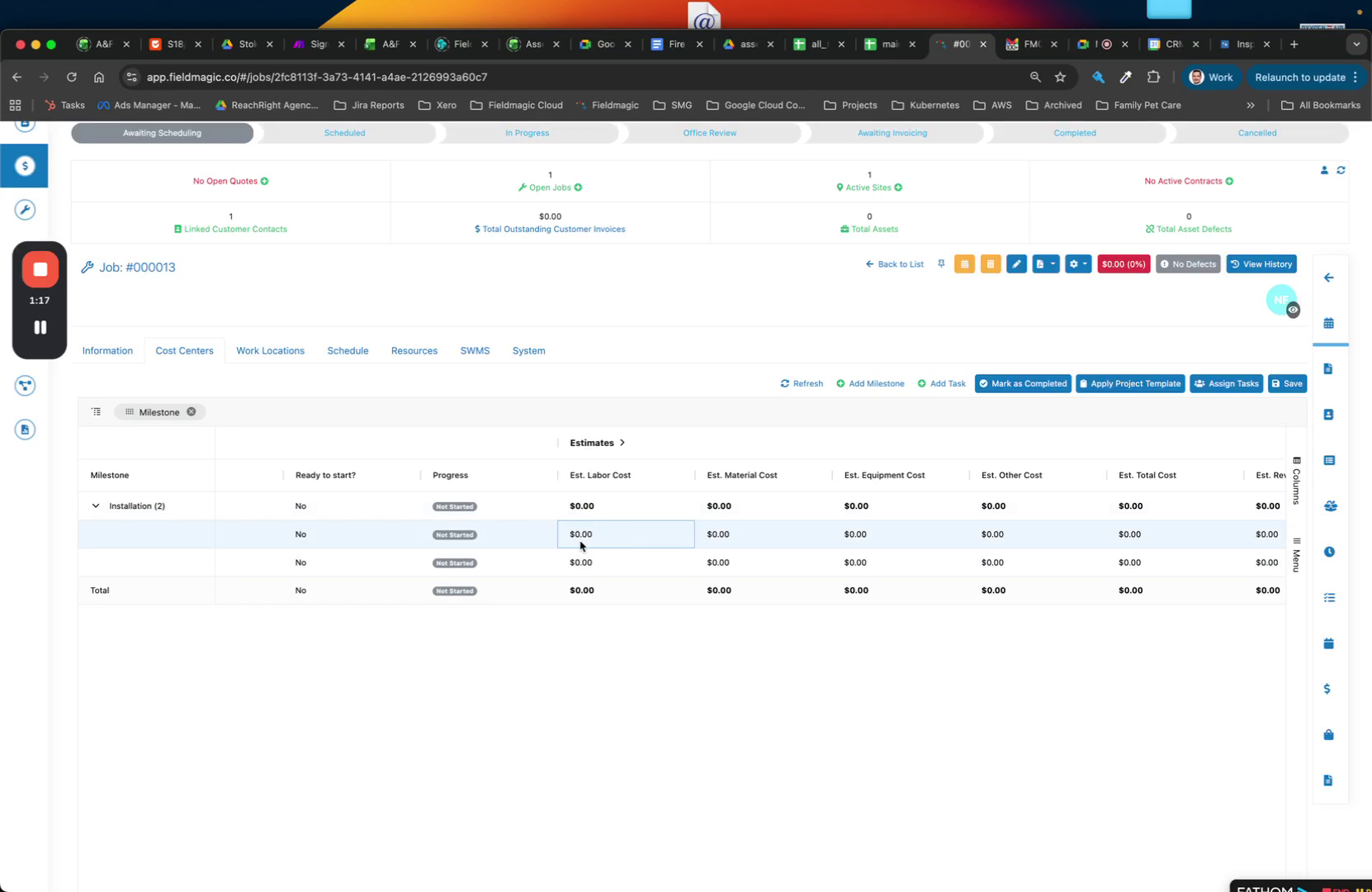
Locate the Estimated Labour section to enter labor cost estimates.
 Step 6
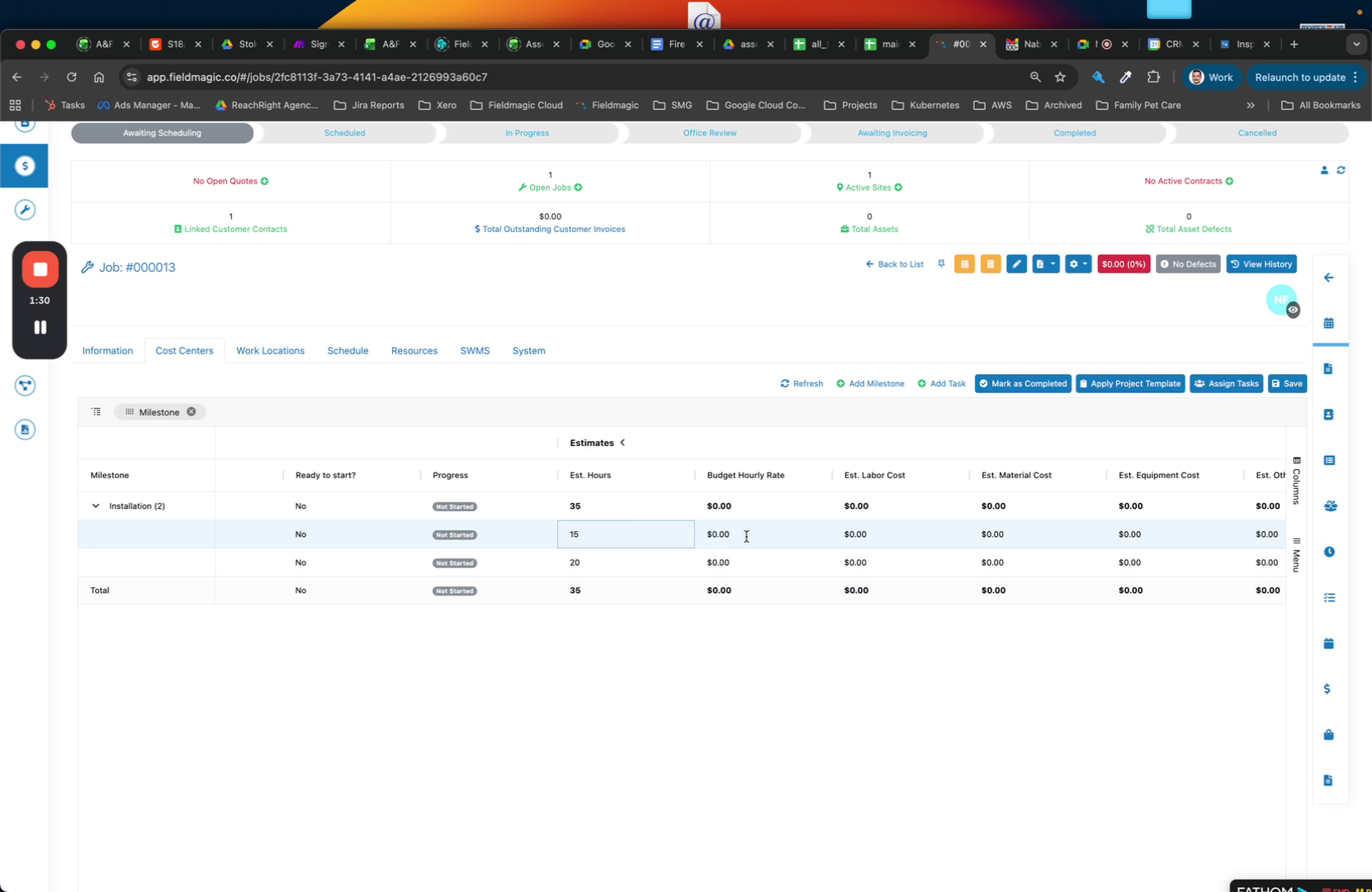
Expand the Estimated Labour section and enter the estimated hours for each milestone.
 Step 7
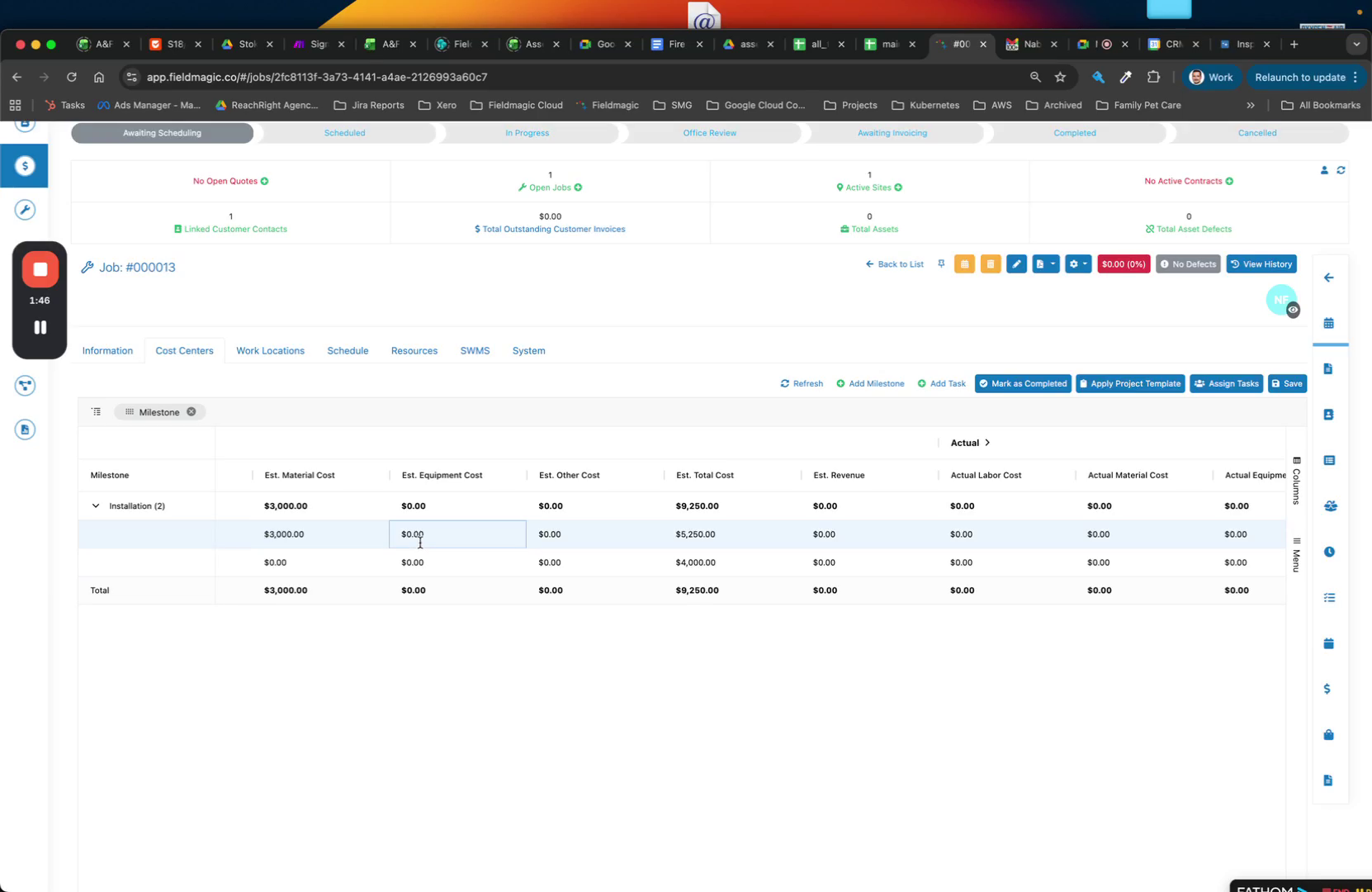
Enter the budget hourly rates for labor. Then enter estimated material costs in the Materials field.
 Step 8
Enter equipment and plant costs in the Equipment field. Enter any other costs that do not fit under labour or materials in the Other field.
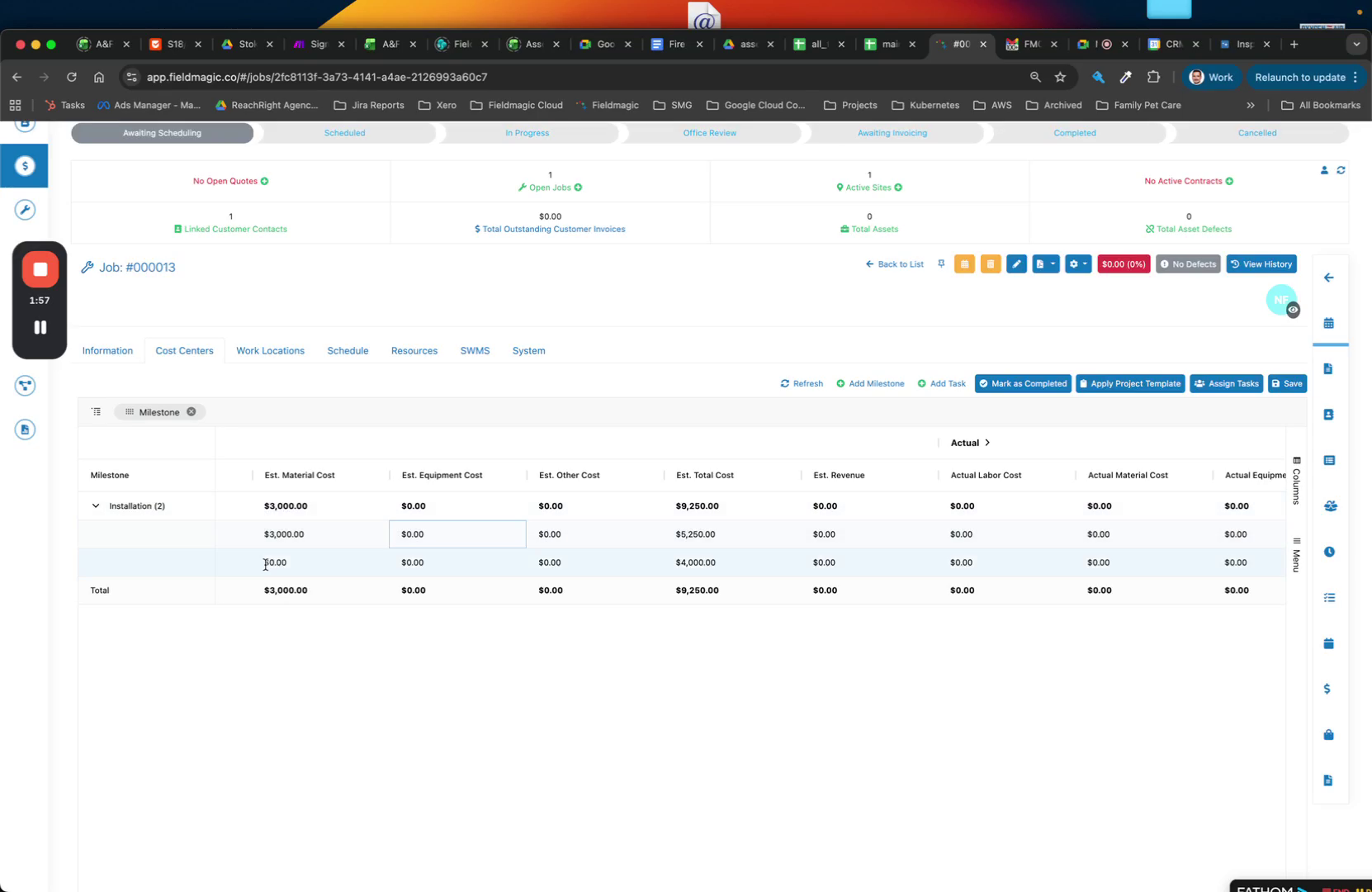 Step 9
To simplify the layout, remove columns you do not need, such as Status or Assignee.
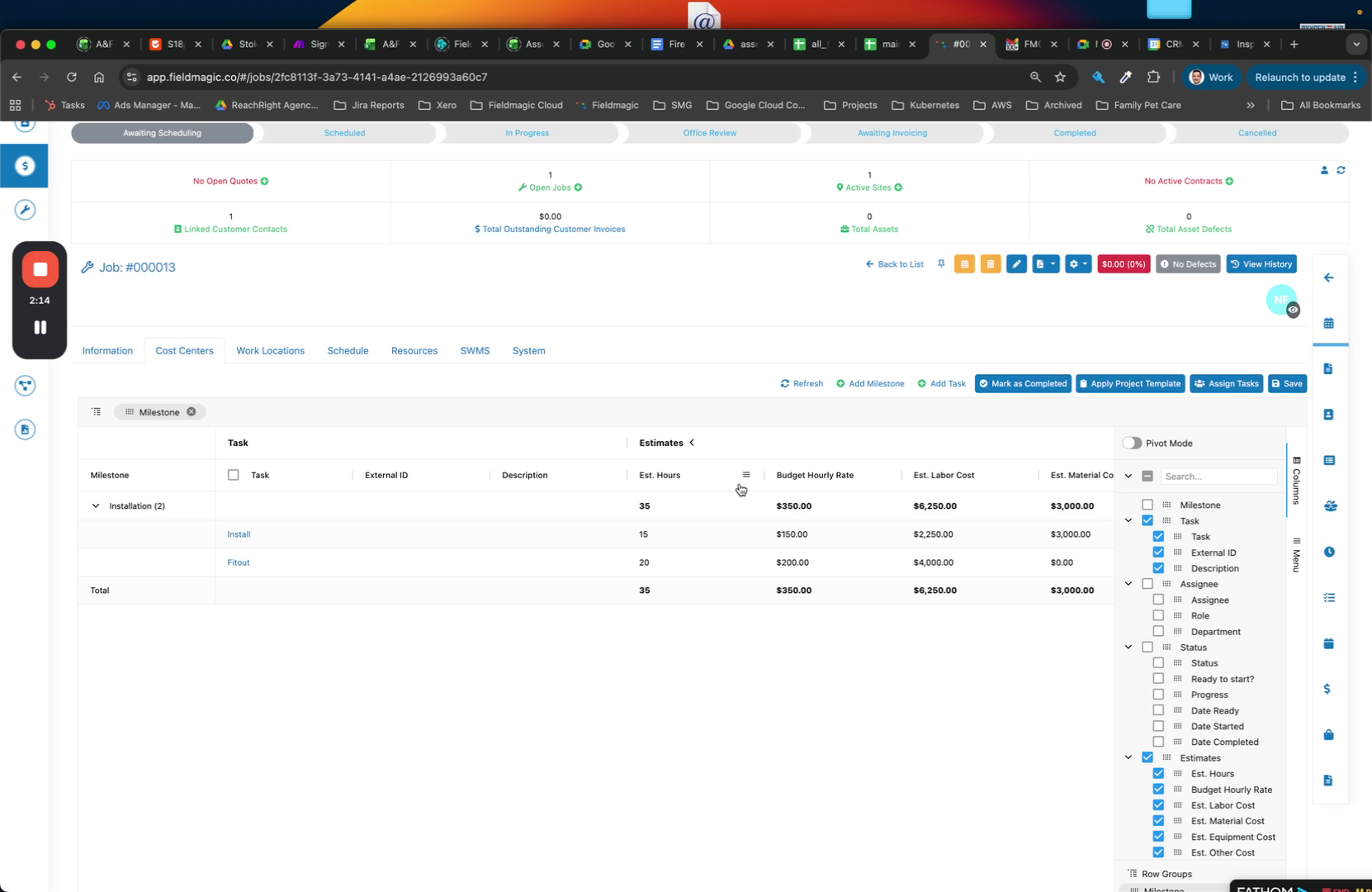 Step 10
Click on a task to open its details. Save your current changes first.
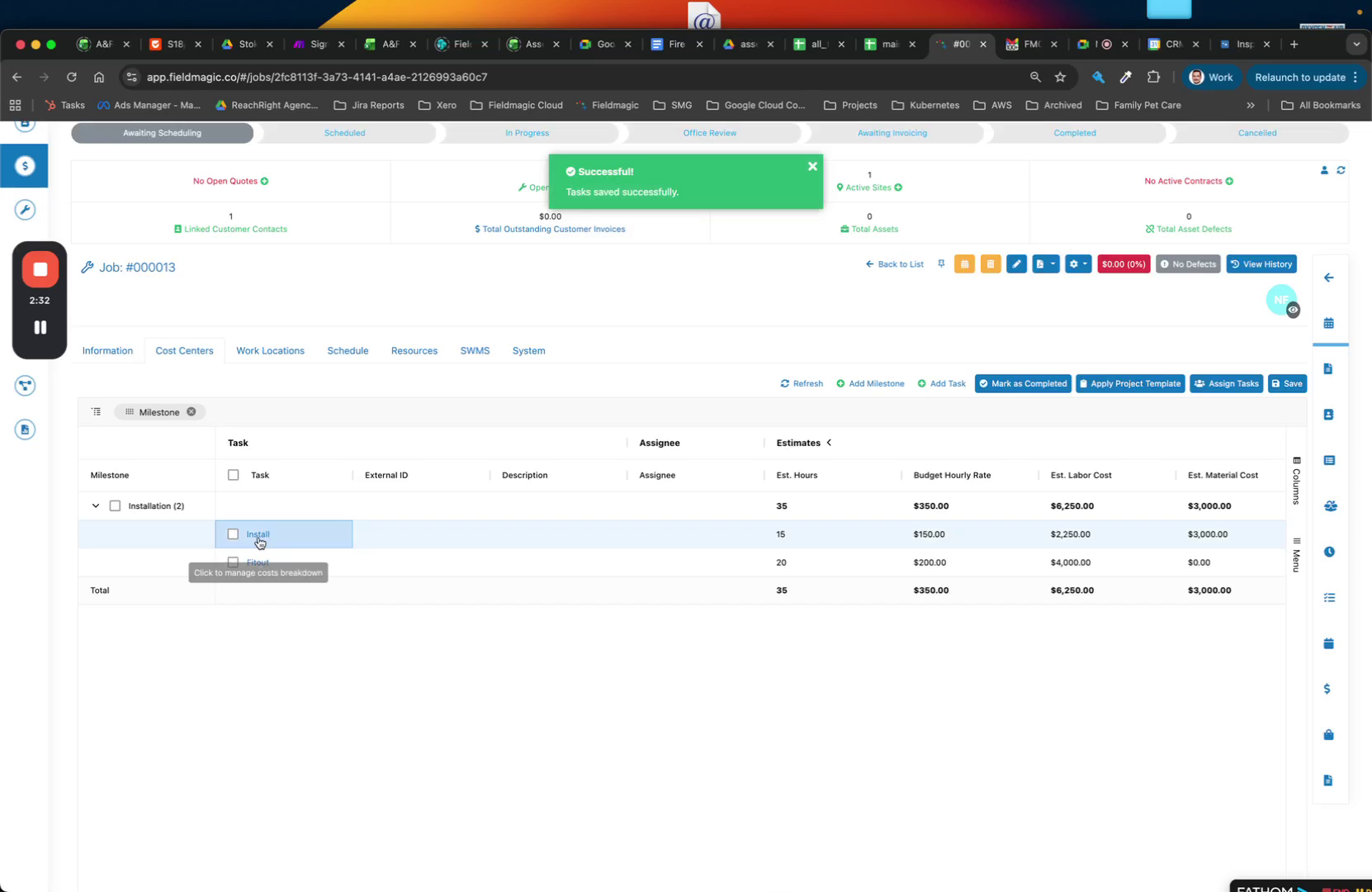 Step 11
Click on a task to add more detail. Enter labor rates, estimated hours, and costs for labor, materials, equipment, and other categories.
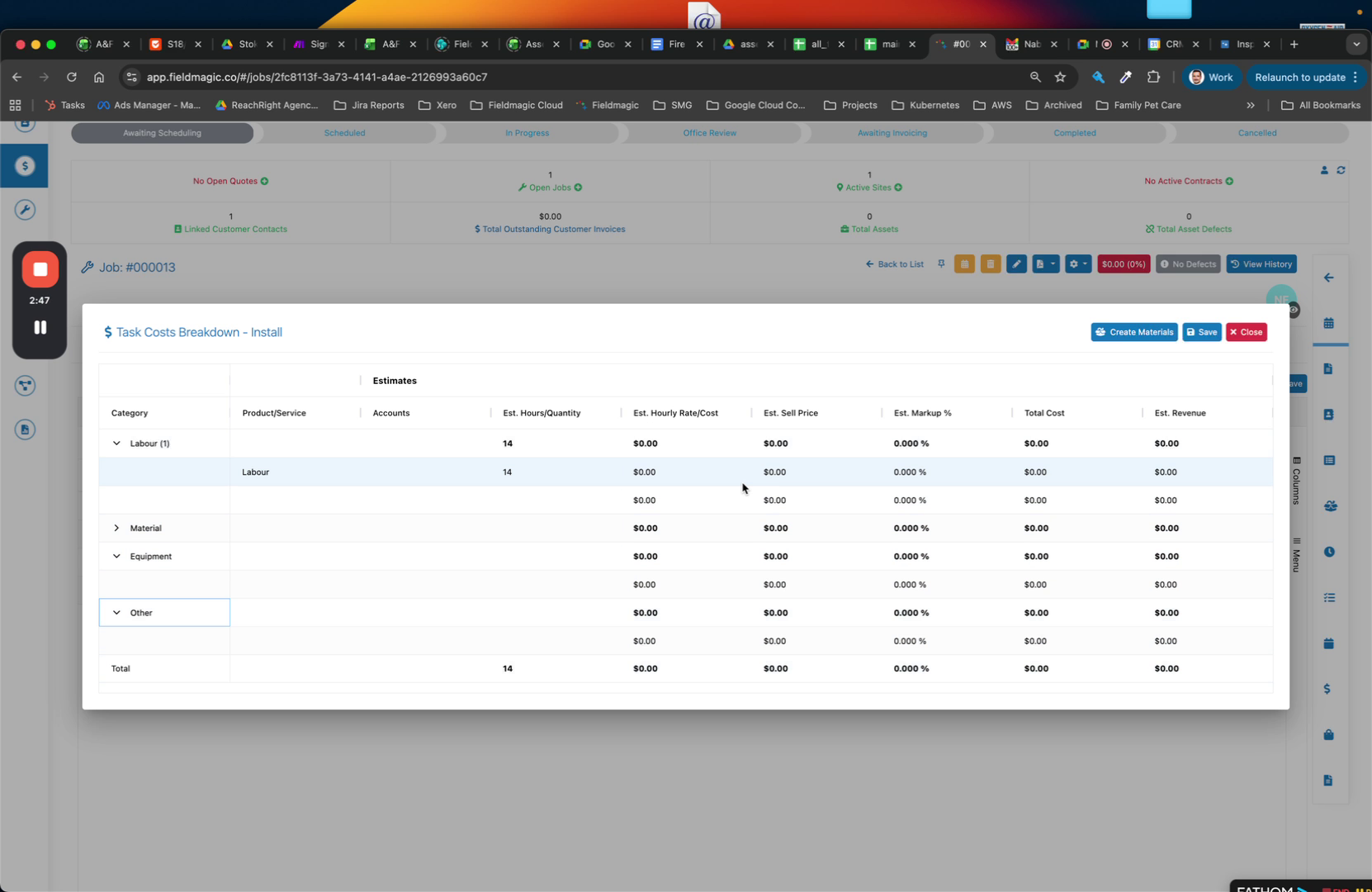 Step 12
Review the detailed cost center breakdown. Save your changes when finished.